
Bently Nevada 3500 System: Maintenance Guide & Spare Parts for Machinery Protection
Your Bently Nevada 3500 rack just threw a channel fault on a critical compressor train, and the plant engineer is asking for a replacement I/O module before the next turnaround. If you manage rotating machinery protection in oil and gas, power generation, or heavy industry, you already know the 3500 system is the backbone of your vibration monitoring — and keeping it running means knowing the specific modules, the firmware quirks, and where to source parts without burning the maintenance budget.

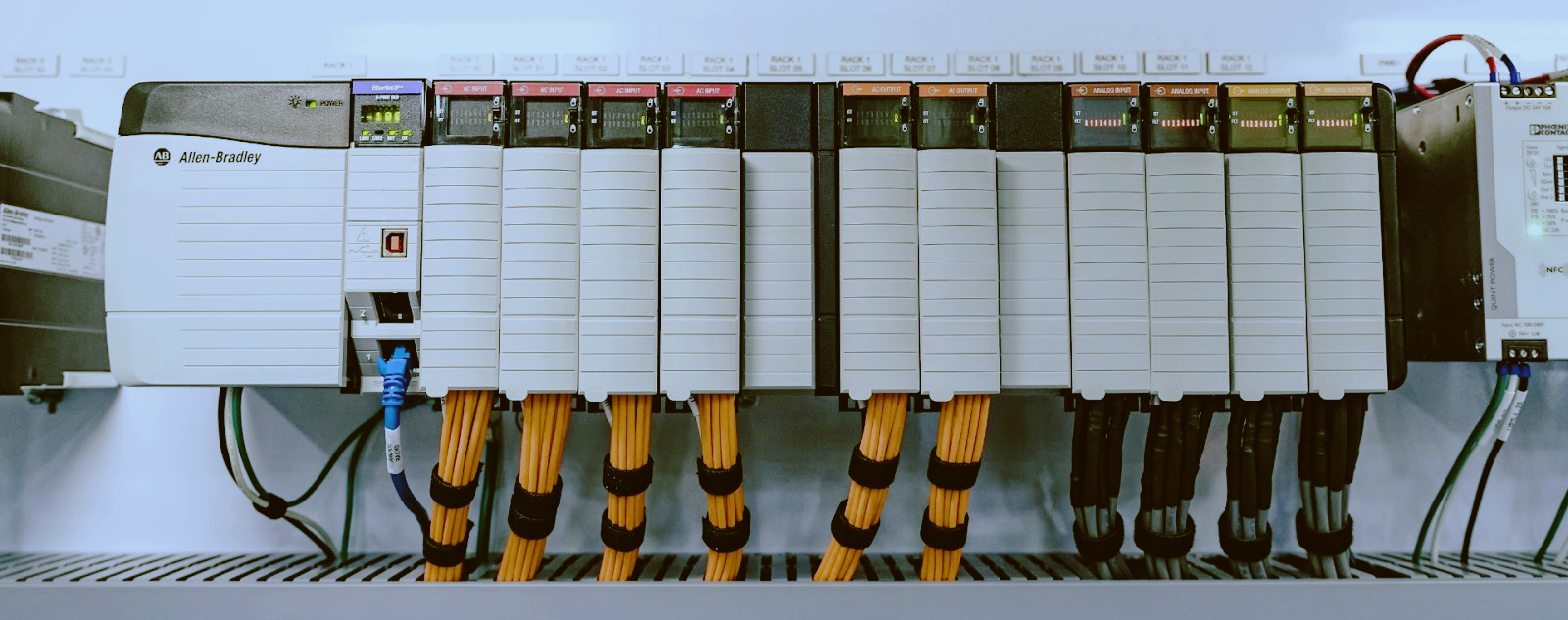
The Bently Nevada 3500 is a rack-based machinery protection monitoring system. Think of it as a 19-inch chassis (the rack) that accepts up to 14 modules in any combination — each module handles a specific job: proximity probe signal conditioning, vibration monitoring, temperature monitoring, relay output, or communications to a DCS or plant historian.
Common rack configurations include:
These racks sit in control rooms and field junction boxes from the Permian Basin to the North Sea, often running for a decade or more without a full teardown.
Most maintenance on a 3500 system happens under time pressure. A bearing starts trending up on a motor-driven compressor, and the protection channel has to stay live while you swap a suspect module. Here are the scenarios that actually come up.
The 3500 rack supports hot-swapping on most modules — but not all. The 3500/15 power supplies and 3500/20 rack interface can be swapped with the rack powered. The 3500/42 monitor card? Technically yes, but swapping it triggers a brief channel fault on all four channels during power-up initialization (roughly 5-10 seconds). Best practice is to bypass the affected channels in the DCS or relay logic before pulling the card.
Procedure for a 3500/42 hot swap:
Mixing different firmware revisions on the same rack risks backplane communication failures. Always match the major revision.
The 3500/42 works with both 3300 XL 5mm/8mm proximity probes and 7200 series probes — but the module configuration determines which. A common headache: swapping a 3300 XL probe for a 7200 series without updating the channel configuration in Rack Configuration software. The 3500/42 expects specific scale factors and linearization curves. Running a 7200 probe with 3300 XL settings will throw your gap voltage reading off by up to 2V.
These racks pull cooling air from the bottom and exhaust at the top. In Middle Eastern or Gulf Coast installations, dust and sand accumulation on the fan filters is the number one cause of premature module failures. Clean or replace filters every 90 days in dirty environments. Condensation in field-mounted racks (common on offshore platforms and in cold climates) causes intermittent contact on backplane connectors — apply conformal coating to exposed PCB edges during installation.
Firmware on 3500 modules (stored in flash memory on each processor module) can be updated in the field using the 3500 Rack Configuration software. To perform this, you need a Windows machine with a serial or USB-to-serial adapter connected to the 3500/22M TDI module. Note that older versions of the configuration software may face stability and compatibility issues on Windows 11; using a legacy or officially validated OS environment is recommended.
The FW upgrade pitfall: Upgrading a 3500/42 from firmware v3.x to v5.x changes the internal data mapping. If your DCS reads vibration values over Modbus via a 3500/92 gateway, you must update the Modbus register map in the 3500/92 configuration after the 3500/42 upgrade. Skip this step and the DCS reads garbage.
The 3500/32 and 3500/34 relay modules provide four or eight relay outputs for alarm and danger trip signals. Most plants use a failsafe configuration: relays are energized in normal operation and de-energized on trip. This means a relay module failure, a power loss, or a broken wire defaults to a trip condition. Test the relay voting logic (1-out-of-1, 2-out-of-2, or 1-out-of-2) during every turnaround — mismatched voting between the rack and the DCS causes phantom trips.
If a rack loses its central interface (the 3500/20 module or the 3500/22M TDI serving as the primary rack interface), the entire rack goes blind — no module responds and all relay outputs hold their last state. Always stock a spare interface module and 3500/15 power supply. Lead time for a new 3500/20 or 3500/22M from Baker Hughes can run 12-18 weeks. Refurbished units are typically available in days.
Q: Can I mix new and refurbished modules in the same Bently Nevada 3500 rack?
A: Yes, as long as the firmware revision matches on each module type. Mixing new and refurbished 3500/42 cards works fine if both run the same firmware version. The rack interface does not care about the refurbishment status — only the firmware version and configuration mapping.
Q: How do I know if my 3500/42 module needs a firmware upgrade?
A: If your System 1 software shows communication errors on a specific channel, or the 3500 Rack Configuration software flags a revision mismatch during a module swap, you need to upgrade. Check the firmware version on the module label or via the software "About" screen.
Q: What is the lifespan of a typical 3500 rack before obsolescence becomes a problem?
A: Baker Hughes still supports the 3500 platform, but modules manufactured before 2010 are approaching end-of-life for factory repairs. Most sites plan a 15-20 year lifecycle before migrating to the newer Bently Nevada Orbit 60 series.
Q: Why does my 3500 rack keep showing "channel fault" on one probe input even after swapping the module?
A: The fault is likely in the probe cable, the extension cable, or the proximity probe itself. Check the cable resistance and insulation with an ohmmeter — a damaged cable near the probe tip (common on high-vibration machines) gives intermittent faults that follow the cable, not the module.
Q: Can I use the 3500/92 Modbus gateway with a modern Allen-Bradley ControlLogix PLC?
A: Yes. The 3500/92 supports Modbus TCP and Modbus RTU. When mapping registers to a ControlLogix PLC, pay close attention to potential 0-based versus 1-based addressing offsets between the Bently Nevada gateway registry and your PLC Modbus driver/tags, and offset by one if data appears shifted.
Q: How long does a typical 3500 module reconditioning take from a third-party repair center?
A: Standard turnaround is 5-10 business days for common modules like the 3500/42 or 3500/15. Uncommon modules (3500/44, 3500/50 Tachometer) can take 3-4 weeks if the repair center needs to source proprietary ASICs.
------------------------------------------------------------------------------------------------------------------------------------------------------------------------
🏢 About TZ Tech
TZ Tech is a leading supplier of industrial automation, electrical, instrumentation, and telecommunications components. We specialize in sourcing ready-to-ship distributor stock, allowing us to offer highly competitive pricing and short lead times. Thanks to our extensive inventory, we can even source rare and discontinued parts that are hard to find elsewhere.
🛡️ Our Quality Commitment
We understand that quality is your top priority. Every component undergoes a strict screening and inspection process so you can buy with absolute confidence. For legacy or discontinued parts, we believe in complete transparency and will always provide an honest, accurate report on the product's condition. Plus, all brand-new parts come backed by a full 1-year warranty.
✉️ Get in Touch
Have a project or a part you need? Send us your inquiry today! Our team is dedicated to providing a fast response within 6 hours (excluding weekends).


Please read on, stay posted, subscribe, and we welcome you to tell us what you think.


Sitemap | Blog | XML | Privacy Policy
In addition, with your permission, we want to place cookies to make your visit anointeraction with slOC more personal. For this we use analytical and advertisingcookies. With these cookies we and third parties can track and collect yourinternet behawior inside and outside super-instrument.com. With this we and third parties adapt super-instrument.com and advertisementsto your interest. By clicking Accept you agree to this. If you decline, we only usethe necessary cookies and you unfortunately will not receive any personalizedcontent. Please visit our Cookie policy for more information or to change yourconsent in the future.
Accept and continue Decline cookies