
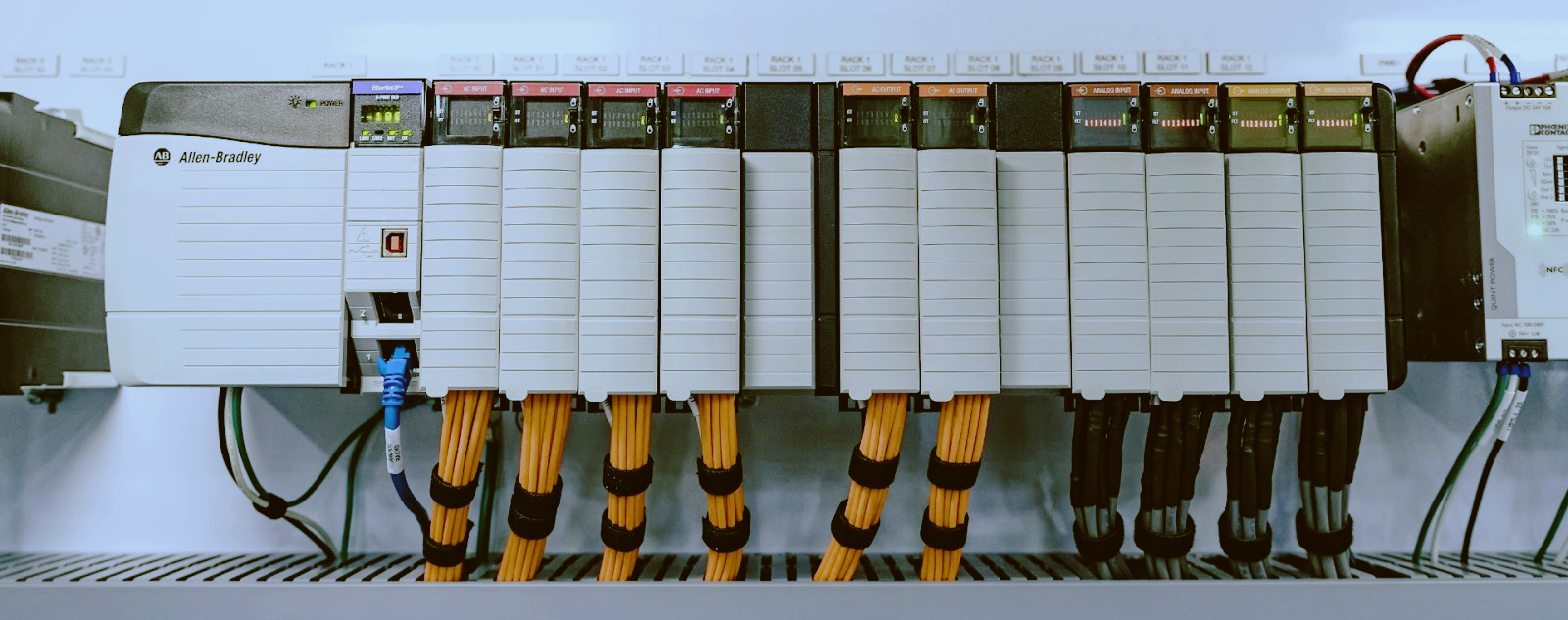
Siemens S7-400H redundant system troubleshooting
I've been keeping S7-400H systems running for almost twenty years now. These redundant racks were built to never stop, but they stop all the time. The CPUs are almost always fine. Sync modules, power supplies, fiber links are what fail. The H system itself is solid. The problem is everything else gets old and tired, and when redundancy goes south, you're running on one CPU with no backup.
I work at a shop that's been in the Siemens PLC game since the S5 days. The S7-400H came out in 1996 and plants are still running them. This article covers the faults I've fixed on live systems. Real numbers, real fixes, no theory.
You walk up to the panel and one CPU shows a yellow IFM1F or REDF LED. The other CPU is running solo. This is the most common call I get.
First thing: check the sync modules. S7-400H uses two sync modules per CPU, connected through fiber optic cables. Part numbers are 6ES7 960-1AA04 for the standard fiber or 6ES7 960-1AB04 for the extended range. I've seen more sync module failures than CPU failures by a long shot.
Look at the SYNC LED on each sync module. If it's off or blinking when it should be solid, that module is dead or dying. Swap it. Don't bother testing it.
Then check the fiber cables. These things get bent, pinched in cabinet doors, chewed by rodents. Hold one end up to a bright light. If you see any light leak through the jacket, replace it. Use a fiber power meter if you have one. You need at least -20 dBm at the receiver. Below -25 dBm and you'll get intermittent sync loss, usually right when production is at max.
Re-terminate the fiber connectors if the ends are dirty. Use a one-click cleaner, not your shirt. I've fixed more broken sync modules with a $12 cleaning pen than with a $600 replacement part.
If sync modules and cables check out, force a redundancy re-establish. Put the CPU in STOP, then back to RUN. In STEP 7, go to PLC > Diagnostic/Setting > Operating Mode. The system should re-sync. If it doesn't, you're looking at a hardware fault on the backplane or the CPU itself.
The PS 407 power supplies (6ES7 407-0KA02-0AA0 or similar) are workhorses, but they have a weak spot: the backup battery monitoring circuit.
Common scenario: one supply shows a BATT LED on. The system keeps running, nobody cares, and three months later the other supply fails too. Now you're down. I've seen it a hundred times.
What I do is pull the suspected bad supply and check output voltage at the terminals on the back. You should see 24V DC within 2%. Anything below 23V or above 25V means the regulation circuit is drifting. Replace it. Don't adjust it. There's no trim pot on these.
The hidden one: the power supply might be fine, but the 24V DC input to the rack is sagging. Check the input terminals on the PS 407. If input drops below 20.4V (the S7-400's undervoltage threshold), the supply will flag a fault. This happens more than you'd think. Bad circuit breakers, loose terminals, undersized wire.
Redundancy module failure is another issue. If you have the redundancy module (6ES7 407-0RA00-0AA0) between two power supplies, that thing fails too. When it goes, one supply looks dead to the rack even though it's outputting voltage. Bypass the redundancy module temporarily. Jumper the outputs to confirm. If the rack comes back, replace the module.
The IM 460-1 (6ES7 460-1BA00-0AA0) in the central rack and IM 461-1 (6ES7 461-1BA00-0AA0) in the expansion rack are another weak point in H systems. These are the interface modules that connect the two racks of a redundant pair.
The symptom: one CPU reports Ext. DP Fault or BUS2Fault but the other CPU is fine. The redundant pair can't sync because the expansion rack communication is broken.
Quick test: swap the IM 460-1 between the two racks. If the fault moves with the module, it's bad. If it stays in the same slot, the problem is the backplane or the cable between racks.
Cable problems: the connecting cables (6ES7 468-xx) have those big rectangular connectors. I've had the latch break off, the cable partially pull out, and the system sees intermittent faults for weeks before someone catches it. Push the connector in firmly. If it clicks, good. If it doesn't click, replace the cable end.
S7-400H CPUs use memory cards. MMC or earlier RAM cards. The battery kills these cards when it dies and the CPU powers down. The redundant system will start up but one CPU won't go into RUN because it can't load its operating system.
Pull the memory card and put it in a reader connected to a PG/PC. Try to read it. If Windows asks you to format it, the card is dead. If you can read it, back up the project, reformat the card, and rewrite it.
The practical fix: always keep two programmed spare memory cards for each CPU type in your cabinet. When this happens (and it will), you swap the card in thirty seconds instead of spending an hour rebuilding it.
If both CPUs lost their cards at the same time (usually from a total power loss with dead backup batteries), you'll need to download the project fresh. The RAM-based clocks can drift during this too, so set the time on both CPUs after loading.
This one drives me nuts. The redundant system is running fine, but a DP slave (maybe an ET 200M or a remote I/O rack) shows up as faulted on one channel but not the other.
Root cause: the DP master on one CPU lost the slave, re-established it, and now the slave is assigned to the wrong master. The two CPUs don't agree on who's driving that slave.
Fix in STEP 7: go to the hardware config and check the Redundancy properties for that DP slave. Make sure it's set to Redundant DP Master. If it's set to a specific master slot, change it. Then power-cycle the slave device.
After any DP slave replacement in a redundant system, you have to re-assign the slave to both masters. The Slave Replacement procedure in the manual is: disconnect slave from power, replace, power back on, then use HW Config > PLC > Download to Module for the DP slave. If you don't do both masters, the slave will work for one CPU and fault for the other.
CPU replacement (414H, 417H, etc.) is rare but it happens. Here's when I pull the trigger:
· The CPU goes into STOP with an internal error code that doesn't clear after a memory reset
· Multiple I/O modules on the same CPU show no connection but the backplane is fine
· The INTF LED stays on permanently even after a fresh OB1 download
· You see Distributed I/Os: station failure on one CPU but the other CPU communicates with the same slaves fine
Swapping a CPU in an H system: put the good CPU solo, pull the bad CPU, install the new one, set the mode selector to MRES and hold for nine seconds (until the STOP LED stops blinking and stays solid), then set to RUN. The good CPU will download the system data to the new CPU automatically. Let it finish. Don't interrupt this. It takes two to five minutes depending on the program size.
The mistake I see: guys swap the CPU and don't match the firmware version. If the new CPU has a different firmware than the existing one, redundancy won't establish. Always check the 6ES7 400 firmware version in the diagnostics buffer before ordering a replacement.
One thing that'll cost you hours: sync module part numbers must match on both CPUs. If rack 0 has 6ES7 960-1AA04 and rack 1 has 6ES7 960-1AB04, the system won't sync. I don't care if the documentation says they're compatible. In the field, they aren't. Keep matched sets.
Same thing with the fiber lengths. If one cable is a 1-meter and the other is a 10-meter, the signal timing difference can cause sync loss on long scan cycles. Use the same length on both links.
When I walk into a plant with a faulted H system, this is my order:
1. Look at the LEDs on both CPUs. Note every LED state.
2. Read the diagnostics buffer on the solo CPU (the one still in RUN).
3. Read the diagnostics buffer on the faulted CPU.
4. Check sync module LEDs on both racks.
5. Check power supply LEDs and battery LEDs.
6. Listen to the power supplies for the fan. If one fan is dead, swap that supply now.
The diagnostics buffer tells you 90% of what you need. Don't guess. Read it.
Most S7-400H problems are not the CPUs. Sync modules, power supplies, IM modules, and fiber cables fail long before the main PLC does. Keep spares of the expensive stuff (the sync modules and the IM modules), because waiting three days for a replacement 6ES7 960-1AA04 is going to cost more than stocking it.
And check those batteries on every PM schedule. A dead backup battery turns a two-minute power cycle into a four-hour rebuild.
------------------------------------------------------------------------------------------------------------------
🏢 About TZ Tech
TZ Tech is a leading supplier of industrial automation, electrical, instrumentation, and telecommunications components. We specialize in sourcing ready-to-ship distributor stock, allowing us to offer highly competitive pricing and short lead times. Thanks to our extensive inventory, we can even source rare and discontinued parts that are hard to find elsewhere.
🛡️ Our Quality Commitment
We understand that quality is your top priority. Every component undergoes a strict screening and inspection process so you can buy with absolute confidence. For legacy or discontinued parts, we believe in complete transparency and will always provide an honest, accurate report on the product's condition. Plus, all brand-new parts come backed by a full 1-year warranty.
✉️ Get in Touch
Have a project or a part you need? Send us your inquiry today! Our team is dedicated to providing a fast response within 6 hours (excluding weekends).


Please read on, stay posted, subscribe, and we welcome you to tell us what you think.


Sitemap | Blog | XML | Privacy Policy
In addition, with your permission, we want to place cookies to make your visit anointeraction with slOC more personal. For this we use analytical and advertisingcookies. With these cookies we and third parties can track and collect yourinternet behawior inside and outside super-instrument.com. With this we and third parties adapt super-instrument.com and advertisementsto your interest. By clicking Accept you agree to this. If you decline, we only usethe necessary cookies and you unfortunately will not receive any personalizedcontent. Please visit our Cookie policy for more information or to change yourconsent in the future.
Accept and continue Decline cookies