
Honeywell HC900 Process Controller: Troubleshooting Common Faults in Industrial Systems
Your production line starts throwing erratic readings. The HC900 controller on the skid is flashing a fault code you haven't seen before, and the shift supervisor is hovering. If you're maintaining Honeywell HC900 process controllers in a refinery, power plant, or chemical facility, downtime is expensive — and every minute counts. This guide walks through the most common Honeywell HC900 troubleshooting scenarios, from power supply failures to communication dropouts, with practical fixes you can apply without waiting on a support ticket.
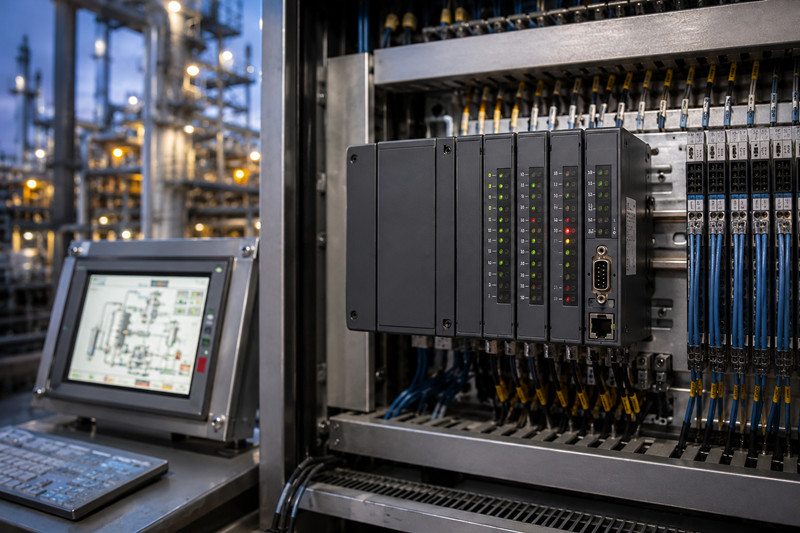
The Honeywell HC900 is a hybrid process controller that sits somewhere between a traditional loop controller and a full programmable logic controller (PLC). It handles PID loops natively — up to 32 loops on a single processor — and also runs ladder logic for discrete control. It's the brain of many small-to-medium process skids in oil and gas, petrochemicals, and specialty chemical plants.
The system is modular. You have a CPU base (model numbers like HC900-900C1 or HC900-900C2), a power supply module, and I/O racks that accept analog inputs, RTDs, thermocouples, discrete I/O, and specialty cards. Communication with the outside world happens over Modbus RTU, Modbus TCP, or Honeywell's Experion interface via a C30 or C50 communications module.
The HC900 programs through Honeywell's Hybrid Control Designer (HCD) software — a Windows-based environment that looks more like a DCS configuration tool than a traditional PLC IDE. If you're used to Rockwell or Siemens, the learning curve is real.
Most faults fall into three buckets:
· Power and hardware failures
· Communication and network issues
· Configuration or logic errors
Here's what you see in practice.
An HC900 with a flashing "PS" or "PWR" LED and a blank HMI display usually means a failed 24 VDC power supply module. The original HC900 power supplies (model 900-PWR-01, 900-PWR-02) are known to fail after 8-12 years of continuous operation — the internal electrolytic capacitors dry out, especially in hot climates.
One Abu Dhabi gas processing plant saw three power supply failures in a single summer when ambient cabinet temperatures hit 55°C. The fix? Replace with the updated 900-PWR-03 supply, which has a wider operating range (-20°C to 65°C) and improved derating. Check the DC bus voltage at the power supply test points — anything below 23.5 VDC under load means replacement time.
When an HC900 loses communication with a Honeywell Experion DCS, you typically get a "COMM FAIL" or "IOM STATUS BAD" alarm on the Experion station. The root cause is almost never the HC900 itself.
Start at the C30/C50 comm module. These modules (model 900-C30-0000 or 900-C50-0000) communicate over serial Modbus RTU or Ethernet. The most common failure point in European installations is incorrect serial cable shielding — floating shields cause ground loops that corrupt Modbus packets. In Gulf Coast refineries, the issue is often corroded RJ45 connectors in classified areas where environmental sealing was skipped during installation.
The fix: verify cabling first. Pin 3 and pin 8 on the serial connector are the data lines for RS-485. Use a terminal program at 9600 baud (typical setting) to confirm data frames are passing. Then check the HC900 comm status register (register 40001 in most configurations) — a value other than 0 points to the specific fault type.
Many sites run HC900 controllers alongside older Honeywell UDC3200 or UDC3300 digital controllers. When a 4-20 mA signal drifts between the UDC and the HC900, the issue is frequently a ground potential difference between the two instruments. A fertilizer plant in Saudi Arabia was chasing a 0.3 mA drift for three weeks — turned out to be a 2.1 VDC potential difference between two grounding grids 200 meters apart. Installing an isolated signal isolator (a Phoenix Contact MCR-4-20-4-DCI) killed the drift instantly.
If you're pulling historical trend data from a Honeywell DPR180 or DPR250 recorder into the HC900 for analysis, mismatched engineering units are the #1 headache. The HC900 stores values in raw counts (0-4095 for a 12-bit analog input), and the conversion scaling in the DPR must match the HC900's configuration exactly. One European chemical plant lost two weeks of valid data because the DPR was configured for 4-20 mA representing 0-100% while the HC900 expected 0-1000 PSI — the recorder logged everything in percentage but the operator read it as PSI.
An HC900 that powers on with all LEDs lit solid but refuses to communicate over Ethernet is often in boot mode — the firmware crashed and the processor is waiting for a new application download. This looks exactly like a dead CPU, but it's recoverable.
Force the CPU into factory default mode by holding the INIT button on the processor base while cycling power. You'll see the RUN LED flash amber. Then use Hybrid Control Designer to reload the configuration. If the processor still won't accept a download, the internal flash memory has likely reached its write cycle limit — Honeywell rates it for 100,000 write cycles, and early HC900 units (pre-2008) used lower-grade NAND that could fail at 10,000-20,000 cycles.
For these older units, the 900-CPU-01 processor can be replaced with a 900-CPU-02 (still available through industrial surplus channels) or a full migration to the HC900 R150 controller if you need current factory support.
The HC900 uses a peculiar Modbus addressing scheme. Input registers start at 30001, holding registers at 40001, and the HC900 maps loop PVs, setpoints, and status words into specific blocks that don't always match the documentation. The controller reserves registers 40001-40050 for system status, and if you accidentally write to those from a DCS or SCADA, you can lock up the processor.
Always verify register addresses in HCD under the "Modbus Configuration" tab before connecting a third-party system. A common mistake in North American pipeline installations is mapping loop PVs starting at 40001 instead of 41001 — this overwrites system status registers and causes unpredictable faults.
The HC900 is rated for 0-55°C in the datasheet, but real-world reliability drops fast above 45°C. The CPU base has no active cooling — it relies on convection through the chassis. In Middle Eastern installations, mounting the cabinet with a sun shield and adding a vortex cooler or heat exchanger can extend MTBF from 18 months to over 7 years. In Canadian winter installations, the issue is condensation when warm cabinet air hits cold I/O terminals — conformal coating on terminal blocks is cheap insurance.
HC900 firmware versions 2.x and 3.x handle Ethernet/IP communication differently. Version 2.x controllers will not communicate with Experion R430 or later without a firmware upgrade to 3.8 or higher. If you're moving an HC900 between sites or bringing one out of storage, check the firmware version in HCD (System > About) before commissioning. Downgrading firmware is not supported by Honeywell — you can only go forward.
The Honeywell HC900 is officially a current product, but Honeywell has been quietly steering customers toward Experion MX for new builds. New HC900 processors (900-CPU-02) list around $3,200-$4,800 depending on memory configuration. Power supplies (900-PWR-03) run $600-$900. I/O modules vary widely — an 8-channel analog input card (900-AIO-08) is about $1,200 new.
Used and surplus HC900 hardware is widely available through industrial automation resellers. Expect to pay 30-50% of list for tested, working pulls from decommissioned plants. The HC900 R150 replacement controller (the official migration path) starts around $6,500 for a base system and requires new I/O — it's not a drop-in swap.
Lead times for new HC900 components from Honeywell are 12-18 weeks as of mid-2026. If you need parts urgently, check tztechio.com for current stock on HC900 processors and I/O modules, or browse the general PLC inventory for compatible alternatives.
Q: My HC900 shows all LEDs solid but no Ethernet communication. Is the CPU dead?
A: Probably not. Hold the INIT button on the CPU base while cycling power. If the RUN LED flashes amber, the processor is in boot mode and can be reloaded via HCD. If nothing changes after that, the CPU may have failed flash memory — check the manufacturing date on the label. Units before 2008 are at higher risk.
Q: Can I replace an HC900 power supply without shutting down the whole skid?
A: No — the HC900 backplane powers the CPU and all I/O from a single supply. You need a full rack shutdown. Plan for it during a scheduled outage. The 900-PWR-03 has a wider operating range and is a direct replacement for older -01 and -02 models.
Q: Why does my UDC3200 show the correct value but the HC900 reads 5% higher?
A: Ground potential difference. Measure DC voltage between the ground terminals of both instruments. If it's more than 0.5 VDC, install a signal isolator between them. The Phoenix Contact MCR-4-20-4-DCI is a common fix in the field.
Q: The HC900 keeps losing Modbus communication with our SCADA. The cable tests fine. What else?
A: Check the comm module model. C30 modules (serial only) are limited to 38400 baud. If you're running over 200 feet of cable at 19200 baud or higher, you need a C50 (Ethernet) module or a Modbus-to-Ethernet gateway. Also verify the HC900 isn't in "Listen Only" mode — register 40001 should read 0 for normal operation.
Q: Is the HC900 being discontinued?
A: Honeywell hasn't issued a formal end-of-life notice as of 2026, but new sales have slowed significantly in favor of Experion MX. The HC900 R150 is the official migration path. Expect another 3-5 years of spare parts availability for the classic HC900 line.
Q: What's the easiest way to check HC900 firmware version?
A: Connect via Hybrid Control Designer. Go to System > About. The firmware version displays as "vX.Y.Z." Anything below v3.8 will not communicate with Experion R430 or newer DCS systems.
Q: Can I hot-swap an I/O module on an HC900?
A: The HC900 analog input modules do support hot-swap if you're running firmware v3.4 or higher and the I/O base is powered. Discrete output modules should never be hot-swapped — the output latch can lock in an unknown state.
------------------------------------------------------------------------------------------------------------------
🏢 About TZ Tech
TZ Tech is a leading supplier of industrial automation, electrical, instrumentation, and telecommunications components. We specialize in sourcing ready-to-ship distributor stock, allowing us to offer highly competitive pricing and short lead times. Thanks to our extensive inventory, we can even source rare and discontinued parts that are hard to find elsewhere.
🛡️ Our Quality Commitment
We understand that quality is your top priority. Every component undergoes a strict screening and inspection process so you can buy with absolute confidence. For legacy or discontinued parts, we believe in complete transparency and will always provide an honest, accurate report on the product's condition. Plus, all brand-new parts come backed by a full 1-year warranty.
✉️ Get in Touch
Have a project or a part you need? Send us your inquiry today! Our team is dedicated to providing a fast response within 6 hours (excluding weekends).


Please read on, stay posted, subscribe, and we welcome you to tell us what you think.


Sitemap | Blog | XML | Privacy Policy
In addition, with your permission, we want to place cookies to make your visit anointeraction with slOC more personal. For this we use analytical and advertisingcookies. With these cookies we and third parties can track and collect yourinternet behawior inside and outside super-instrument.com. With this we and third parties adapt super-instrument.com and advertisementsto your interest. By clicking Accept you agree to this. If you decline, we only usethe necessary cookies and you unfortunately will not receive any personalizedcontent. Please visit our Cookie policy for more information or to change yourconsent in the future.
Accept and continue Decline cookies