
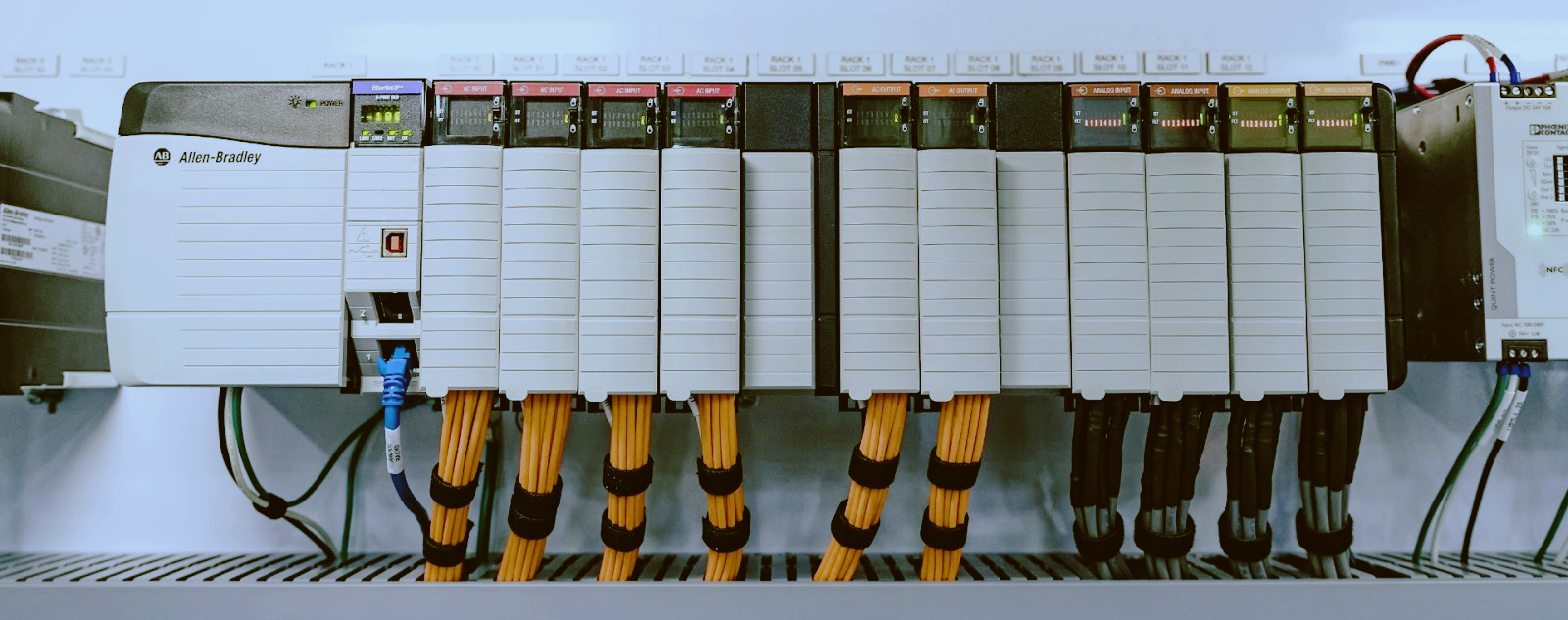
Emerson PACSystems RX3i: Troubleshooting Common Field Issues
Emerson acquired GE's automation business in 2019. The PACSystems RX3i — originally GE Fanuc — is still widely deployed in power generation, water treatment, and manufacturing. You maintain racks with IC695CPE302, IC695CPE305, or IC695CPU315 CPUs, and when one faults you need a fast, repeatable diagnosis.

· PAC Machine Edition (PME) version 9.5 or newer — diagnostics, logic monitoring, firmware management
· Serial cable for CPU port 2 (RS-232) connection
· Ethernet cable for IC695ETM001 or embedded Ethernet port
· Multimeter for voltage checks
· Spare power supplies — IC695PSA040 (AC) or IC695PSD040 (DC)
· Firmware files from Emerson Support
· Backup of current logic — export a .PGD file from PME
Serial connection: 57600 baud, 8 data bits, no parity, 1 stop bit.
The RX3i CPU has OK, RUN, and FAIL LEDs. The OK LED gives the fastest diagnostic read.
OK LED Solid Green — Normal. CPU passed POST, firmware loaded, logic running. A fault elsewhere in the system (I/O, network) won't change this LED.
OK LED Flashing Green (1/sec) — Boot mode. Normal right after power-up. If it persists past 60 seconds, firmware may be corrupted or the bootloader cannot find a valid image. See firmware recovery below.
OK LED Flashing Red (1/sec) — Recoverable hardware fault. Memory parity, watchdog timeout, or backplane communication failure that the system can try to recover from. Connect PME and read the fault log.
OK LED Solid Red — Non-recoverable hardware fault. Corrupted flash, failed CPU core, or catastrophic power fault. Power cycle once. If solid red returns within 30 seconds, replace the CPU.
FAIL LED Lit — CPU stopped executing logic. Corrupted program, hardware fault, or configuration error. Cross-check with the OK LED pattern, then read the fault table in PME.
PME is the only supported diagnostic tool for RX3i. Logic Developer PLC will not work with current firmware.
Step 1: Connect. Open PME and open the matching project. Right-click the controller in the Navigator pane and select Connect. Choose Ethernet (enter the IP address) or Serial (Port 2, 57600 baud).
Step 2: Read the fault table. Expand the controller node and double-click Fault Table. The table shows fault code (four-digit hex), description, timestamp, and occurrence count.
Step 3: Decode common fault codes.
Fault Code | Description | Likely Cause
0x0001 | CPU watchdog timeout | Logic scan exceeds watchdog limit; check for infinite loops
0x0002 | Memory parity error | Faulty CPU RAM; power cycle, then replace module
0x0004 | Stack overflow | Too many nested subroutines or FOR/NEXT loops
0x0010 | Configuration mismatch | Hardware config does not match physical rack layout
0x0020 | Firmware checksum failure | Corrupted firmware; reload via boot mode
0x0040 | Backplane communication error | Loose module or faulty backplane; reseat all modules
0x0100 | Power supply fault | Voltage out of tolerance; measure backplane +5V and +3.3V
Step 4: Clear faults. Right-click in the Fault Table and select Clear All Faults. If the same code reappears within minutes, the root cause is still active.
The IC695PSA040 (120/240 VAC input, 40W output) and IC695PSD040 (24 VDC input, 40W output) supply +5VDC and +3.3VDC to the backplane.
No lights on the supply. AC version: check for 85-264 VAC at the terminal block. DC version: check for 18-36 VDC. If input is present and the supply shows no life, the internal fuse opened or the primary switching circuit failed. Replace the supply — neither has a user-replaceable fuse.
The machine runs for hours or days, then spontaneously resets. Measure backplane voltage at the supply test points: TB1 (+5VDC), TB2 (+3.3VDC), TB3 (common). Acceptable: +5VDC between 4.85V and 5.15V. +3.3VDC between 3.20V and 3.40V. Ripple over 50mV peak-to-peak means failing output capacitors. Swap the supply.
Both supplies derate above 60°C ambient. The OK LED flashes amber before shutdown. Improve enclosure airflow. If ambient regularly exceeds 55°C, add forced-air cooling or relocate the rack.
The IC695ETM001 is the most common communication module in RX3i racks and the second most frequent failure point after power supplies.
RJ-45 port has Link/Activity (green) and Speed (amber) LEDs. No green LED means the physical layer is down. Try a known-good cable. Verify the switch port is not disabled, VLAN-mismatched, or port-security locked. Confirm the module is fully seated in the backplane.
Controller drops off the network for 30-60 seconds at random. Disconnect the Ethernet cable. If the fault table logs 0x0040 while disconnected, the problem is on the network side. Assign a static IP — DHCP lease renewal during production causes disconnects. Check the switch for excessive broadcast traffic.
PME reports "Module Not Found." Open hardware configuration and verify the slot number. Check the module firmware revision — IC695ETM001 must be version 5.0 or newer to work with PME 9.5 projects. Remove the module and inspect backplane connector pins for damage.
The RX3i backplane is passive, but mechanical failures happen.
Module not recognized — A module works in one rack but not another. Bent pin on the backplane connector or cracked solder joint. Inspect pin rows with a bright light. A single bent pin can be straightened with fine tweezers. A cracked backplane needs replacement.
Intermittent faults across multiple slots — Fault code 0x0040 appearing on several unrelated modules. Measure backplane voltage at the far end of the rack. If voltage drop exceeds 100mV compared to the supply end, the backplane has a resistive fault from corroded contacts. Clean connectors with isopropyl alcohol and reseat every module. If voltage drop persists, replace the backplane.
Firmware is stored in flash memory. Corruption happens during a power loss during a firmware update or after thousands of flash write cycles.
Step 1: Force boot mode. Remove power. Set the CPU mode switch to STOP. Hold the RESET button on the CPU faceplate. Apply power and hold RESET for 10 seconds. The OK LED flashes green once per second — the CPU is in boot mode.
Step 2: Connect via serial. Connect serial cable to Port 2. Open a terminal at 57600 baud. The bootloader prompt appears: RX3i Boot >
Step 3: Load new firmware. In PME, select Tools > Firmware > Update Firmware via Serial. Browse to the .BIN file for your CPU: CPE302_Vxx.BIN, CPE305_Vxx.BIN, or CPU315_Vxx.BIN. Start the transfer. Do not interrupt power — the process takes 15-30 minutes.
Step 4: Verify. Power cycle the rack. The OK LED should transition from flashing green to solid green within 60 seconds. Open PME and check the firmware version.
If the bootloader does not respond, the CPU's bootloader is corrupted. Return the module to Emerson for service or replace it.
Emerson has shifted focus to PACSystems RXi and newer edge platforms. RX3i modules are not discontinued across the board, but production volumes have dropped. Lead times on some items run 12-16 weeks. The IC695CPE302 and IC695CPE305 are particularly affected.
New old-stock — Distributors still holding RX3i inventory. Look for IC695PSA040, IC695ETM001, and IC693MDL340 (24VDC 16-point discrete output) from surplus dealers. NOS modules carry UL and CE certifications.
Reconditioned units — Professionally tested and warranted at 40-60% of list price. IC695CPU315 and IC695ETM001 units are commonly available through reconditioners.
Third-party repair — IC695PSA040 supplies and IC695ETM001 Ethernet modules can be repaired at the component level. Typical turnaround is 5-10 business days.
RSTi-EP migration — Some RX3i applications can move to the RSTi-EP distributed I/O platform. Requires a newer CPU and different I/O modules, but RSTi-EP stock is more available in 2026.
Keep one IC695PSA040, one IC695PSD040, and one IC695ETM001 on the shelf per every five racks. IC695CPE302 and IC695CPU315 are harder to find — order when you see a good used or NOS unit.
Browse our full selection of industrial automation spare parts and PLC modules for Emerson, GE, and other brands. We stock IC693MDL340 and IC695-series modules for same-day shipping on many items.
-------------------------------------------------------------------------------------------------------------------
🏢 About TZ Tech
TZ Tech is a leading supplier of industrial automation, electrical, instrumentation, and telecommunications components. We specialize in sourcing ready-to-ship distributor stock, allowing us to offer highly competitive pricing and short lead times. Thanks to our extensive inventory, we can even source rare and discontinued parts that are hard to find elsewhere.
🛡️ Our Quality Commitment
We understand that quality is your top priority. Every component undergoes a strict screening and inspection process so you can buy with absolute confidence. For legacy or discontinued parts, we believe in complete transparency and will always provide an honest, accurate report on the product's condition. Plus, all brand-new parts come backed by a full 1-year warranty.
✉️ Get in Touch
Have a project or a part you need? Send us your inquiry today! Our team is dedicated to providing a fast response within 6 hours (excluding weekends).


Please read on, stay posted, subscribe, and we welcome you to tell us what you think.


Sitemap | Blog | XML | Privacy Policy
In addition, with your permission, we want to place cookies to make your visit anointeraction with slOC more personal. For this we use analytical and advertisingcookies. With these cookies we and third parties can track and collect yourinternet behawior inside and outside super-instrument.com. With this we and third parties adapt super-instrument.com and advertisementsto your interest. By clicking Accept you agree to this. If you decline, we only usethe necessary cookies and you unfortunately will not receive any personalizedcontent. Please visit our Cookie policy for more information or to change yourconsent in the future.
Accept and continue Decline cookies