Allen-Bradley SLC 500 Processors: 5/03, 5/04 and 5/05, What Fails and What to Keep Spare
Oct 16, 2026
I have pulled hundreds of SLC 500 processors out of panels. Water plants. Packing lines. A bakery that ran three shifts on a 5/03 nobody had touched since 1998. Those little black bricks outlive the machines they run, and they outlive most of the people who programmed them.
Here is the field truth. The SLC 500 is not fast. It is not fancy. It just keeps running, year after year, until one day it does not. And when it goes down, it is almost never the thing the plant thinks it is.
The 5/04 dies and the plant calls it a network problem. It isn't. Nine times out of ten the battery in the processor gave up and took the program with it. Nobody noticed because nobody wrote the date on the battery. I have walked into that exact call more times than I can count.
So this is what I tell the maintenance guys who call me. Know your model number. Know your battery. Keep the right one on the shelf. Everything else follows from there.
The processors you still find bolted into panels
Walk into any older plant and you will find them. The SLC 500 line ran from the late 1980s into the 2000s, and a huge amount of it is still in service. Rockwell discontinued the ladder, but the ladder did not get the memo. It is still making product.
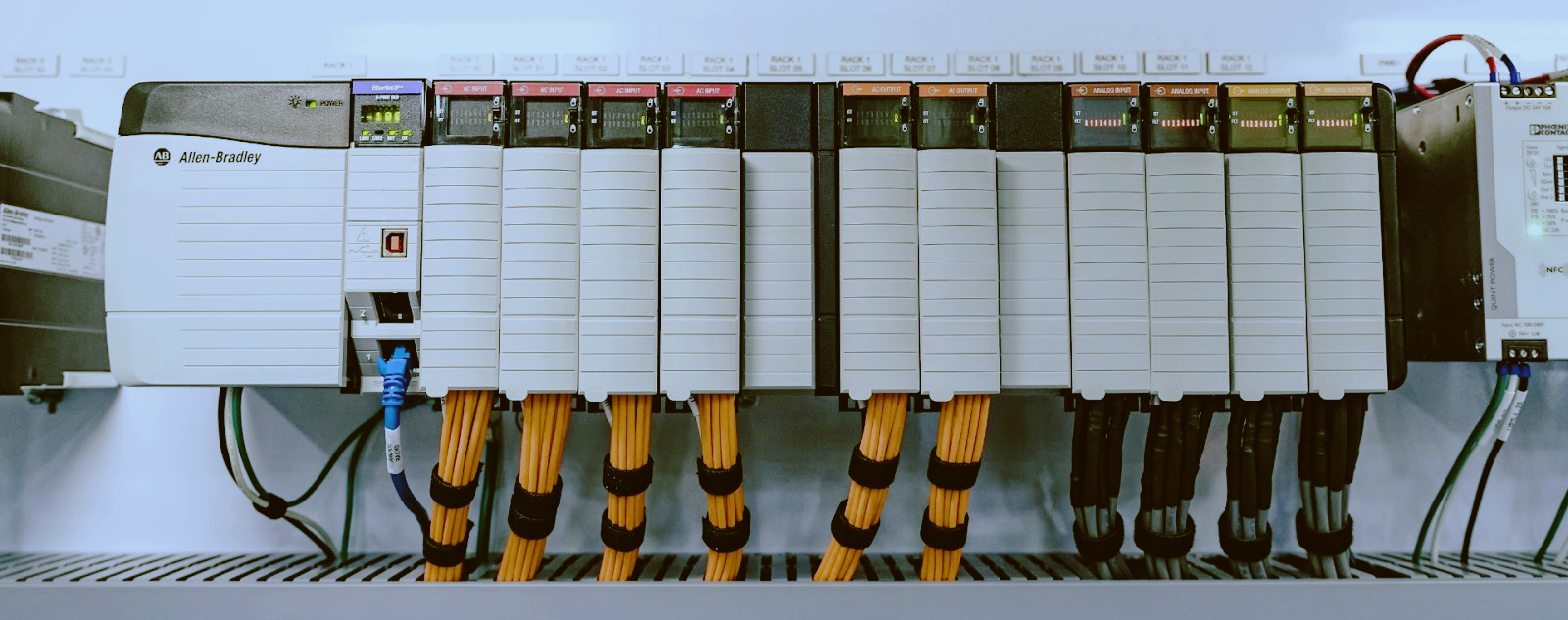
The modular processors are the ones I mean. The 1747-L processors that slide into a 1746 chassis next to the I/O. You bolt a power supply on the left, you set the processor in slot zero, and you fill the rest with PLC modules. That is the layout. Simple, and it stayed simple for twenty years.
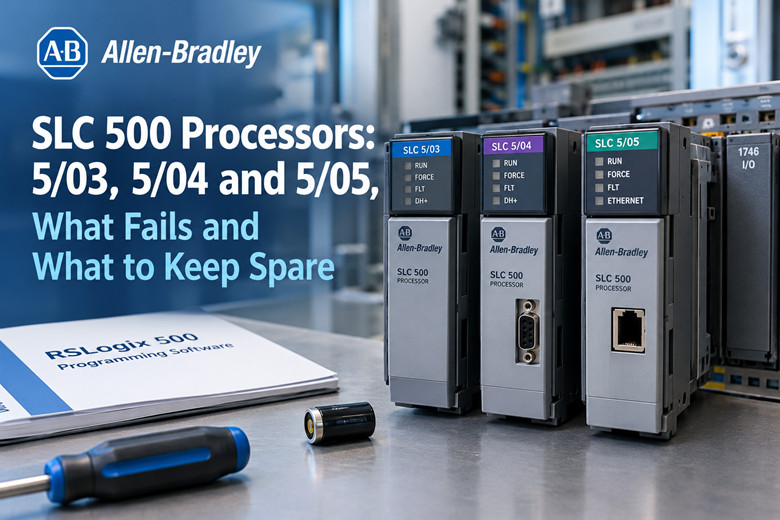
The three you will actually see are the 5/03, the 5/04 and the 5/05. The older 5/01 and 5/02 show up too, but usually on small machines nobody wants to touch. The 5/03 is the workhorse. The 5/04 is the one that talks Data Highway Plus. The 5/05 is the one with an Ethernet port on the front.
I still get calls for all three every week. Not because people love them. Because ripping out a working control system costs a fortune, and the SLC 500 keeps working.
The processors use 1746 I/O modules in the local chassis. That part matters when you are ordering spares. The processor and the I/O are separate part numbers, and they fail for different reasons. Do not mix them up in your head.
One more thing before we go further. The SLC 500 is a ladder-logic machine. It is programmed with RSLogix 500. If you do not have that software and a way to connect, you are flying blind. Keep the software. Keep the cable. Keep a laptop old enough to run it. That is half your spare parts right there.
I have seen a plant with three spare processors on the shelf and no way to load a program into any of them. That is a bad day waiting to happen.
5/03, 5/04 and 5/05: what actually changes between them
People ask me what the difference is. The honest answer: memory, and how they talk.
The 5/03 has three memory sizes. The 1747-L531 carries 8K. The 1747-L532 carries 16K. The 1747-L533 carries 32K. If you have a 5/03, the label tells you which one you have. Do not guess.
The 5/04 comes in three sizes too. The 1747-L541 carries 16K. The 1747-L542 carries 32K. The 1747-L543 carries 64K. This is the Data Highway Plus family. That is the big difference from the 5/03.
The 5/05 also comes in three sizes. The 1747-L551 carries 16K. The 1747-L552 carries 32K. The 1747-L553 carries 64K. This one has Ethernet, which is why people still buy it.
Now the ports. This is where the families really split.
The SLC 5/01 and 5/02 carry DH-485 only, on an RJ-45 port. That is it.
The SLC 5/03 adds an RS-232 DF1 port on a DB-9 alongside the DH-485 port. So you get two ways in. That RS-232 port is the one you will use most.
The SLC 5/04 has DH+ (Data Highway Plus) plus the RS-232 DF1 port. No DH-485. Different network, different couplers, different cable.
The SLC 5/05 has Ethernet 10/100 plus the RS-232 DF1 port. Again, no DH-485.
Read that again if you skimmed it. The 5/04 and the 5/05 do not carry DH-485. If you are upgrading from a 5/03 and your network is DH-485, the newer processor does not just drop in. You have to think about it. I have watched guys learn this the hard way on a Sunday.
Let me give you the 5/04 detail, because it is the one people ask about most. The 1747-L542 carries 32 KB of battery-backed RAM. That works out to roughly 28K words of program and 4K words of data. Typical program scan time is 0.9 ms per K. It handles up to 4096 discrete inputs and 4096 discrete outputs. Up to 480 local analog I/O. It supports three local chassis and up to 30 slots total.
That is a lot of machine on a brick the size of a paperback.
The backup memory module for these is the 1747-M13. The battery is the 1747-BA. Write those two numbers down. You will need them.
One warning. The 5/03, 5/04 and 5/05 all use the 1747-BA battery, but do not assume every processor in the family takes the same one. Read the label. I have seen people order the wrong battery because they assumed. It fits, sort of, and then it does not hold the program. That is worse than not having one.
Read the label before you order anything
This is the rule that saves the most money, and it is the rule people break the most.
Every 1747 processor has a label on the side. It gives you the catalog number, the series, the firmware revision, and the memory size. Read all of it. Take a picture of it. Send the picture when you order.
The catalog number is the important part. 1747-L532 is not the same as 1747-L533. One is 16K, one is 32K. They look identical from a foot away. If you order the wrong one because you guessed, you wait a week for a part that will not run your program.
I have seen this cost a plant two days of downtime. Not because the part was hard to find. Because the buyer ordered from memory instead of walking out to the panel.
Here is what to write down before you call anybody:
The full catalog number, letter for letter. 1747-L542, not "the 5/04".
The series letter. Series A, B, C, D. They matter for firmware and features.
The firmware revision, if the label shows it.
The memory size, if it is not obvious from the catalog number.
A photo of the label, front and side, so there is no argument.
Do the same for the battery. 1747-BA, and check the date code on the one you pull out. If it is more than three years old, it was on borrowed time already.
The same goes for Allen-Bradley spare parts in general. The SLC 500 line has enough variations that guessing is expensive. Read the label. Order the exact number. It takes two minutes and it saves a week.
I keep a notebook in my truck with every processor I have ever swapped. Catalog number, location, date, battery date. When a plant calls me, I know what they have before I drive out. That notebook has saved me more trips than any tool I own.
The faults that bring an SLC 500 down
Let me go through the ones I actually see. Not the theory. The calls.
Dead processor, no lights. You walk up and the front is black. Could be the power supply, could be the chassis, could be the processor itself. Check the power supply first. The 1746 power supplies fail more often than the processors, and they are cheaper. If the supply is good and you have 5 volts and 24 volts where you should, the processor is dead. It happens.
Fault light on, steady. The processor is alive but unhappy. Usually a major fault. Could be a bad I/O module, could be a program fault, could be a chassis problem. Get online with RSLogix 500 and read the fault. Do not clear it and hope. I have watched guys clear a major fault four times before they admit the module in slot three is bad.
Fault light blinking. That is usually a minor fault or a battery warning, depending on the processor. Do not ignore it. It is telling you something is about to go wrong, and it is usually the program going away.
Random stops with no fault. This one is nasty. The machine just stops. No fault light, no message, nothing in the log. Nine times out of ten it is a power problem. A loose terminal, a sagging supply, a ground issue. Chase the power, not the program. The SLC 500 is a tough little machine, but it does not like dirty power.
Communication drops. The processor is fine, the network is not. I have seen DH-485 go down because somebody added a node without checking the terminating resistors. I have seen DH+ drop because a cable got nicked by a panel door. The processor gets blamed. It is innocent.
I/O not responding. You have outputs that should be on and they are not. Check the module, check the fuse, check the wiring. The processor is usually the last thing at fault, not the first. I have replaced maybe one processor for every ten I/O modules I have swapped. That ratio tells you where to look.
Program gone, processor fine. Battery. Every time. This is the big one, and it gets its own section.
The point is this. Most SLC 500 calls are not processor failures. They are power, battery, wiring or network. The processor takes the blame because it is the black box in the middle. Learn to tell the difference and you will save a fortune in parts.
Battery and memory: the failure that costs you the program
Here is the one that bites you at 3 a.m.
The processor holds its program in battery-backed RAM. The battery is the 1747-BA. When that battery dies, the program goes with it. Not right away, but as soon as power cycles. The processor comes back up empty, or with a fault, or with whatever is in the memory module if there is one.
That is the failure. And it is almost always preventable.
The problem is nobody writes the date on the battery. It is a coin cell in a plastic holder. Out of sight. It has a life of a few years, and when it goes, it does not tell you loudly. Some processors will flag a low battery warning. Some just stop one day and take your logic with them.
I have pulled batteries out of processors that were clearly original, from the factory, twenty years old. And the plant wondered why the 5/04 lost its program.
If you do not have a copy of the program, you are in real trouble. You are either rewriting from a paper printout, or rebuilding from scratch, or calling somebody like me to read the logic off a print and type it back in. That is days of work for a battery that costs less than lunch.
So here is the discipline:
Change the 1747-BA on a schedule. Every three years, whether it needs it or not.
Write the date on the new battery with a marker before you fit it.
Write the date on the label of the processor so the next guy sees it.
Keep a current copy of the program. RSLogix 500 file, saved off the machine, on two different computers.
Keep a 1747-M13 memory module loaded, if your processor uses one, so the program reloads itself after a battery change.
That last one is the belt and suspenders. The 1747-M13 stores the program in nonvolatile memory. If the battery dies and the module is good, the processor can pull the program back after a power cycle. I have seen it save a plant a full day of downtime. Not every SLC 500 setup has one. If yours does, keep it current.
Do not wait for the low battery light. By the time it comes on, you are already on borrowed time, and the machine might cycle before you get back with a new cell. Change it on the calendar, not on the alarm.
One more field note, and I mean this. If you swap a battery with the power off, you can lose the program. Follow the procedure in the manual for your processor. Some of them want power on during the change. Get it wrong and you find out the hard way. I have seen it.
The program is the thing you cannot buy. The processor you can buy. Keep the program safe and the rest is just money.
Getting online: cables and ports for each processor
You cannot fix what you cannot see. So you need a way in. This is where a lot of guys get stuck, because the cables changed across the family and not everybody knows it.
Start with the RS-232 DF1 port. The 5/03, the 5/04 and the 5/05 all have one, on a DB-9. The cable for that port is the 1747-CP3. It is a null-modem cable, 9-pin. That is your bread and butter connection. If you have an RS-232 port and a 1747-CP3, you can talk to the processor with RSLogix 500 from any laptop with a serial port. This is how I connect nine times out of ten.
The catch is the laptop. New machines do not have serial ports. You need a USB-to-serial adapter, and it needs to be one that actually works with RSLogix 500. Cheap adapters drop the connection mid-download and you get a half-loaded program. That is a bad place to be. Buy a good adapter, the kind with a real chip, not the two-dollar online special.
Now DH-485. That is the network the 5/01, 5/02 and 5/03 carry. To get on it from a PC you use the 1747-UIC converter plus the 1747-C13 cable, over USB. The older way was the 1747-PIC card, which needed a real serial port and older software. Most people have moved to the 1747-UIC. It works better and it does not care about your laptop.
DH-485 runs up to 1219 m (4000 ft) at 19200 bps. That is the number to remember. You need 1747-AIC isolated link couplers for bias and termination on the network. Skip those and you get a flaky network that works until it doesn't.
Higher baud rates cut the usable length. At 115200 bps you are down to roughly 305 m. I have seen guys crank the baud rate up to make the network faster and then wonder why the far end drops off. The cable did not get longer. The physics did.
Now DH+. That is the 5/04 network. To get on it from a PC you use the 1784-U2DHP, which is USB, or the older 1784-PCMK, which is a PCMCIA card. The U2DHP is the one to have. It is a dedicated converter and it does the job. DH+ is faster and goes further than DH-485, which is why the bigger plants used it.
Then Ethernet. That is the 5/05. It has a 10/100 port right on the front. You connect it to your network and you can get online with RSLogix 500 over Ethernet, no converter needed. If a plant is moving off the old networks, the 5/05 is the one they want, and the Ethernet port is why.
One thing I tell every maintenance crew: label your cables and keep them in the panel with the spare parts. Nothing wastes an hour like hunting for a 1747-CP3 at 2 a.m. while the line is down. Buy two. Keep one in the panel and one in the shop. Rotate them so you know both work.
And keep RSLogix 500 somewhere you can reach it. The software is old. It does not run on everything. Keep a laptop that runs it, keep the install disks, keep the license. If you lose access to the software, the hardware is just bricks.
Repair or replace, and how I decide
This is the question that pays my bills. Do we fix the processor or swap it? Here is how I decide.
First, is the processor actually the problem? Seven times out of ten it is not. Check power, check battery, check I/O, check the network. If the fault goes away without touching the processor, you do not have a processor problem. You have a maintenance problem, and that is a good day.
Second, if the processor is dead, can I get the same catalog number? If yes, swap it, load the program, done. That is the clean path. The exact part drops in, no rewiring, no software changes. This is why you keep a spare.
Third, if I cannot get the same catalog number, can I go up one step in the family? A 1747-L532 for a 1747-L531, for example. Higher memory in the same family usually works, as long as the firmware and the rest of the system match. Check the manual. Check the series.
Fourth, if I have to change families, that is a project, not a repair. Going from a 5/03 to a 5/05 means new network, new cabling, new software config. That is a planned outage, not a 3 a.m. fix. Do not let anybody tell you otherwise.
Now, for the repair side. These processors are repairable, and repaired units are how a lot of plants keep running. A good repair shop can bring a dead 1747-L542 back. You get a tested unit, often with a warranty, for a fraction of what a new conversion would cost. When the alternative is ripping out a working system, a repaired processor is the sensible answer.
That is where a supplier of discontinued hardware earns its keep. You cannot buy a new 5/04 from the factory anymore. You can buy a tested, working one from the secondary market, and that is where discontinued Allen-Bradley hardware comes in. For legacy plants, that is the whole game.
When I choose, I ask three questions. How critical is the machine? How long can it be down? Is there a spare on the shelf? If the machine is critical and there is no spare, I am on the phone ordering one today, whether the current processor is healthy or not. You do not want to discover you have no spare during a failure.
If the machine can be down for a day, and the processor is only suspect, I test before I replace. No point spending money to fix a thing that was not broken.
The plant that plans ahead spends the least. That is the whole lesson. Keep the spare, keep the program, keep the cable. Then a processor failure is a two-hour job instead of a two-week disaster.
The short list to keep on the shelf
Here is what I would keep, based on years of pulling these out of panels. If you run SLC 500, this is your shelf.
Start with a spare processor for every model you run. If you have a 1747-L532, keep a 1747-L532. If you have a 1747-L542, keep a 1747-L542. Do not assume one spare covers several machines. It does not, unless the catalog numbers match.
The batteries. 1747-BA, several of them. These are cheap and they are the number one cause of downtime. Keep a box. Date them when they arrive, and date them when they go in. A battery on the shelf ages, so watch the shelf life too.
The backup memory module if your processors use one. 1747-M13. One per critical processor, loaded and current. This is the part that saves your program when the battery goes.
The cables. 1747-CP3 for the RS-232 port. A 1747-UIC plus 1747-C13 for DH-485. A 1784-U2DHP for DH+. Keep one of each you need, plus a spare 1747-CP3, because that is the one that grows legs.
A laptop that runs RSLogix 500, with a working USB-to-serial adapter. Keep it charged and keep it in the shop, not in somebody's bag.
For the network, 1747-AIC link couplers. If you run DH-485, you need these for bias and termination. Keep one or two spares. A dead coupler looks exactly like a dead processor from the outside, and it is a lot cheaper to swap.
Power supplies. The 1746 supplies fail more often than the processors. Keep one spare for each size you run. This is the part people forget, and then they are stuck.
A printed copy of every program. On paper, in the panel. If the laptop dies and the battery dies and the file is gone, the paper is all you have left. I have rebuilt programs from a printout. It is slow, but it beats the alternative.
I/O modules. The ones you use most, in the highest failure slots. You know which ones those are on your machines. Keep those on the shelf too, because the SLC 500 I/O fails more often than the processor.
That is the list. It is not long, and it is not expensive compared to a single day of downtime. The plants that keep this shelf running are the ones that call me the least. That is the goal.
One last thing. Write it all down. A sheet inside the panel door with the processor model, the battery date, the program revision, and where the spares live. The next guy through that door, maybe you on a bad night, will thank you for it. I have opened panels with that sheet and panels without it. The difference is the difference between a fix and a war.
The SLC 500 is a good machine. It has run plants for decades and it will run them for years more. Treat the battery with respect, keep the spare on the shelf, and keep the program safe, and it will keep doing its job. That is all I have learned pulling them out of panels, and I have pulled a lot of them.
🏢 About TZ Tech
TZ Tech is a leading supplier of industrial automation, electrical, instrumentation, and telecommunications components. We specialize in sourcing ready-to-ship distributor stock, allowing us to offer highly competitive pricing and short lead times. Thanks to our extensive inventory, we can even source rare and discontinued parts that are hard to find elsewhere.
🛡️ Our Quality Commitment
We understand that quality is your top priority. Every component undergoes a strict screening and inspection process so you can buy with absolute confidence. For legacy or discontinued parts, we believe in complete transparency and will always provide an honest, accurate report on the product's condition. Plus, all brand-new parts come backed by a full 1-year warranty.
✉️ Get in Touch
Have a project or a part you need? Send us your inquiry today! Our team is dedicated to providing a fast response within 6 hours (excluding weekends).