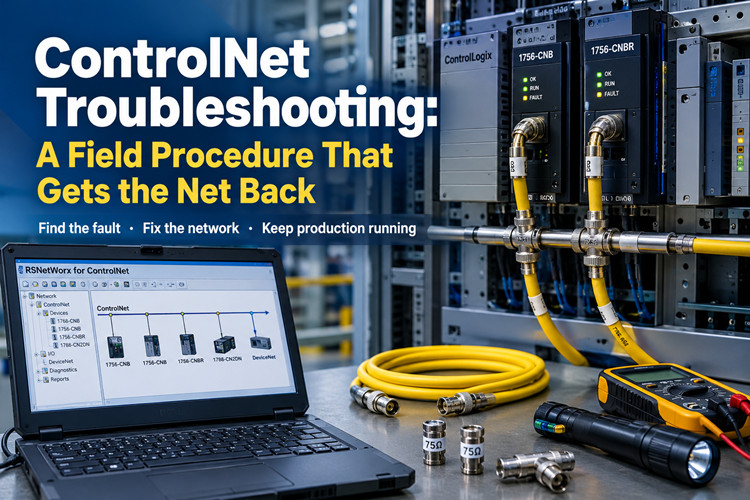
ControlNet Troubleshooting: A Field Procedure That Gets the Net Back
Sep 09, 2026
At 2:17 in the morning the phone wakes you, and the voice on the other end skips the hello. Node 14 dropped and the line is down. Scheduled traffic through the 1756-CNB stopped forty minutes ago, the drives are faulted, and the shift electrician has already reseated every connector he can reach. He wants to know if you are coming. You are coming. Before you get in the truck, take this article with you.
Here is the situation you will walk into. A ControlNet trunk built from 1786-RG6 coax, tapped into a row of 1756-CNB and 1756-CNBR modules in ControlLogix racks, a 1788-CN2DN or two carrying I/O down to DeviceNet, and a schedule that RSNetWorx for ControlNet wrote years ago and nobody has backed up since. Rockwell lists ControlNet as Active-Mature, which is a polite way of saying it still supports the product but is not building more of it. The company would rather sell you EtherNet/IP on 1783 switches, and it is right to try. But your plant still runs on coax, and it has to run tomorrow. This is the field procedure that gets the net back. Do the steps in order and do not skip the boring ones, because the boring ones are where these calls usually die.
Tools you need before you start
Round these up before you leave the shop. Every trip back to the truck for a missing part costs twenty minutes of a night that is already long.
· RSNetWorx for ControlNet, installed and proven on your laptop. Know which version you carry, and know that the EDS files on that laptop match the devices on the net. A laptop that has not seen the plant in two years will waste your first hour updating itself.
· A ControlNet interface for the laptop. The 1784-PCC CardBus card and the 1784-U2CN USB adapter are the two you will meet in the field. Load the driver and configure it in RSLinx before you leave, and test the card against a live net at the shop. Testing it for the first time in a dark panel at 3 AM is a bad plan.
· The backup schedule file. This is the .cnc file that RSNetWorx saves when you commission a network. If you do not have one, your night just got longer. If you have one but it is five years old, treat it with suspicion until you have compared it to the running network.
· Physical spares: a short length of 1786-RG6 coax, two 75-ohm terminators, one spare tap, and a handful of BNC connectors. Take a full drum of cable if the trunk is long or runs outdoors.
· A known-good 1756-CNB or 1756-CNBR, flashed to the firmware your plant runs, in case step 6 becomes necessary.
· A multimeter, a flashlight, a small mirror for reading node addresses behind panels, and the EDS files for every third-party device on the net, carried on a USB stick.
Run the ladder in this order
ControlNet faults fall into four bins: the cable, the module, the schedule, and the node. The failure modes look alike from the operator screen, and that is the trap. A node that dropped because a terminator is missing looks identical to a node that dropped because its address collides with another node. The order of attack is not a preference. Check the physical layer first, then the module, then the schedule, then the node, and swap hardware last. Each step eliminates a whole class of faults, and none of them requires you to trust the story the operator told you at 2 AM.
Step 1: Check the physical layer first
ControlNet is a scheduled, time-sliced network running 5 Mbit/s on 75-ohm coax. Every node gets a guaranteed slot in a repeating frame, and the whole scheme depends on the signal arriving clean at every tap. Reflections kill that signal, and reflections come from bad geometry: open ends, wrong cable, stubs, water. Most "the net went down at 2 AM" calls end here, in the cable, not in the schedule. Start at one end of the trunk and work your way to the other. Power down what you can before you touch coax. Do not hot-unplug a live trunk while the plant is depending on it, and never pull a connector to "see if it sparks." It will not spark, and you will have just dropped the net.
Check the terminators first. A ControlNet trunk needs exactly two, one at each physical end, and both must be 75 ohm. The 1786-XT is the correct part for this system. A missing terminator leaves the end of the cable open. The signal reflects off that open end, and nodes near it go marginal and drop when the cabinet warms up or a large motor starts. An extra terminator is just as bad when it hangs off a tap in the middle of the trunk, because it turns a healthy segment into two stubs. The rule is short: two terminators, at the ends, nothing else on the cable.
Check every BNC connector on the trunk. Seated means you feel it click into place and you cannot rotate the shell against the jack. A connector that spins is a crimp that failed years ago and has been getting worse since. Look at the center pin. It should be clean, straight, and fully engaged. Water in a connector reads as intermittent loss that no schedule change will ever fix, and corrosion on the shield braid does the same. When you find a bad connector, cut it off and re-terminate with a fresh one rather than tightening it and hoping.
Check the cable itself. The trunk must be 1786-RG6 quad-shield coax. RG-59 will carry the signal a short way and then lie to you, and the leftover TV coax someone used to patch a broken section is worse than no patch at all, because it passes the DC checks and fails under load. If someone spliced the trunk with a barrel connector, that splice is a reflection point and a future 2 AM call. If someone daisy-chained from one module's BNC straight to the next module's BNC instead of using taps, you are looking at a stub that should never have been built. Devices attach through taps, with a short drop cable from the tap to the node. Keep every drop to a meter or less and route it clear of power cables.
Then run the numbers. A single ControlNet segment is limited to 1000 m of RG-6 and 48 nodes. If your plant exceeds either limit, a repeater must sit in the path, and the problem node is probably on the far side of that repeater. Look for the repeater and check its power before you go any deeper. While you are walking the cable, look for the obvious damage: coax crushed behind a swing panel, cable routed through a drain, water standing in a below-grade pull box, a fork truck scar on the jacket. ControlNet cable failures are rarely mysterious once you look at the actual cable.
If the whole net will not come up, you are hunting a short or an open. Every node's network LED dark or flashing at the same time means the trunk is the problem. It is not forty modules that all failed in the same hour. Isolate the fault methodically. Power down nodes one at a time, pull their drops at the tap, and watch whether the rest of the net comes solid green. When you pull the drop that fixes the net, you have found the guilty piece. It is usually a crushed cable, a wet connector, or a tap that took a hit from a ladder. Fix that one thing and the net comes back whole.
Step 2: Read the module LEDs
The 1756-CNB and 1756-CNBR tell you a lot from the front panel if you read the indicators in pairs. The 1756-CNB carries two indicators, one for module status and one for network status. The 1756-CNBR carries three: module status plus one per redundant channel. The module LED tells you whether the hardware is alive. The network LED tells you whether it is talking. Read the module LED first. A module that is dead on the backplane will never talk on the net, no matter how good the cable behind it is.
Indicator | Pattern | What it means | What to do
Module LED | Off | No power, or the module is not seated on the backplane | Reseat the module firmly. Check the chassis power supply and the slot.
Module LED | Solid green | Normal operation | Nothing. Move to the network LED.
Module LED | Flashing green | Self-test in progress, or firmware being updated | Wait. If it still flashes after ten minutes, cycle power to the chassis.
Module LED | Flashing red | Recoverable fault, usually configuration or firmware related | Check the firmware revision against the I/O tree in Studio 5000. Cycle power.
Module LED | Solid red | Unrecoverable fault | Reseat once. If the red returns, the module is dead. Go to step 6.
Network LED | Off | Module is alive but not talking on the trunk | Check the tap, the drop cable, and the trunk behind this node. That is step 1 work.
Network LED | Solid green | Online and passing scheduled traffic | Normal. Nothing to do.
Network LED | Flashing green | Powered but not communicating with the network | The node cannot hear the net. Check the terminator, the tap, and the node address.
Network LED | Red, solid or flashing | Duplicate node address, or a serious network fault | Power the node down. Check its address against every other node. Check the trunk.
On a 1756-CNBR running redundant media, the two network indicators should mirror each other. One solid green while the other shows red means the fault lives on that channel's cable or terminator, not in the module. Swap the suspect channel's cable and terminator before you condemn the module, and you will save yourself a part.
One field rule carries you a long way. When every node on the net misbehaves at the same time, it is the trunk. When exactly one node misbehaves and the rest sit solid green, it is that node, its tap, its drop, or its address. Make that split early and you will not waste an hour working the wrong end of the ladder.
Step 3: Go online with RSNetWorx and verify the schedule
Get RSNetWorx for ControlNet online against the network before you change anything. Select the driver that matches your interface card, browse, and let the software discover the net. Write down what it finds: how many nodes, which ones are scheduled, which ones are not. That list is your map for the rest of the night.
Then settle the question of who owns the schedule. On ControlNet, the schedule is the arrangement of who talks in which time slot. It lives in two places. The .cnc file holds it on whoever commissioned the network, and every scheduled node holds a copy of its own part. When RSNetWorx goes online and its file disagrees with the network, it asks which one to keep. If the network has been running fine and your file is stale, upload from the network and save it under a fresh name. If the network is the mess you were called to fix and your file is the good one, restore from the file. Make that decision once, deliberately, and say it out loud before you click. The wrong choice wipes a working schedule, and nothing in RSNetWorx will warn you twice.
Open the network properties and read two numbers: the NUT and S_max. The NUT, or network update time, is the length of the repeating frame that carries all scheduled traffic. The default is 2 ms, and most plants never need more. S_max is the highest node address the schedule will accommodate. It must sit above your highest scheduled node. If someone added a node at address 60 while S_max sat at 50, that node will never be scheduled, no matter how many times you commission. Raise S_max, then commission. This one setting has sent more engineers in circles than any cable fault I have seen.
RSNetWorx also shows the split between scheduled and unscheduled bandwidth. Scheduled traffic gets a guaranteed slot in every frame. Unscheduled traffic, the explicit messages, uploads, and programming traffic, fills whatever space is left. When a new connection will not fit the schedule, RSNetWorx tells you plainly. The fix is a larger NUT or fewer scheduled connections, never magic and never a second commission with the same numbers.
While you are online, look at each scheduled node. RSNetWorx marks devices that are present but missing from the schedule, and it marks devices it cannot identify. Both conditions show up here first, and both have different fixes. If the net looks healthy in RSNetWorx, the problem is narrower than the phone call suggested, and step 4 will find it.
Step 4: Find the missing node
The plant says node 14 is gone. RSNetWorx says it sees 47 of 48 nodes. Do not trust the node number painted on the panel door. Trust the address the device is actually set to, because the two have disagreed since the day the panel was built.
First, confirm the address. A 1788-CN2DN takes its node address from the switches on the device, and valid addresses run from 1 to 99. Write down what the switches actually say, not what the drawing says. A 1756-CNB holds its address in software, set through RSLinx or the module properties in Studio 5000. If the device's real address does not match the address the schedule expects, RSNetWorx will show the device sitting there healthy while the schedule ignores it completely. That mismatch produces exactly the phone call you got.
Second, check for a duplicate. Two nodes on the same address is the classic intermittent fault. Both power up, one wins the slot, the other drops, and the drop rotates between them on every restart. If the missing node comes back the moment you power down its neighbor, you have a duplicate address. Change one node to a free address and re-commission. Do not put it off, because the duplicate will come back the next time both devices power cycle.
Third, look at the tap. The drop cable from tap to node must be seated at both ends, and the node end is the one everybody forgets because it hides behind the module's own connector. A BNC that spins at the node end means a failed crimp. Replace the whole drop rather than re-crimping the old one, because the old one has been flexing for years and will fail again. Confirm the tap body itself is the right one for your trunk and that its clamp is actually closed on the coax. A tap that was installed but never tightened is a node that works until the cabinet door slams.
Fourth, sort out what RSNetWorx is telling you, because its display is precise if you read it right. A device that appears as a question mark is present but unidentified. Its EDS file is missing from the machine running RSNetWorx, so the software cannot read its identity. Install the EDS file and refresh the browse. A device that appears with a name but no scheduled connections is not in the schedule, and that is step 5's problem. A device that does not appear at all is a physical problem, and that is step 1's problem. Work the step that matches the symptom.
While you are standing at the node, look at the device itself and not just its connector. A 1788-CN2DN with a shorted DeviceNet side will drag down its ControlNet side, because the two share one processor. Check the node's own power supply as well. A drive or a linking device that is running on a dying 24 VDC supply will drop off the net in a pattern that looks exactly like a network fault. Put a meter on the node's supply terminals before you blame the trunk, and check it under load, not in a quiet moment between cycles.
Step 5: Fix the schedule and re-commission
Once the node is physically present and correctly addressed, the fix is to put it back into the schedule and write that schedule to every node on the net. That write is called commissioning, and it is the point of no return in RSNetWorx, because it downloads to every scheduled node at once.
Start from the file. Open your backup .cnc and go online. If the backup is older than the running schedule, upload the running schedule first and save it under a new name before you touch anything. Then compare the two files and understand the difference. What you are about to do will overwrite the network, so you want to know exactly what you are overwriting and why.
Put the network into edit mode in RSNetWorx, then look at what connections the controllers are requesting. This is the part that trips people up. The ControlNet schedule is built from connections the controllers actually request, and those requests come from produced and consumed tags that already exist in the controller logic. If the tag was deleted from the program months ago, no schedule entry in RSNetWorx will fix it. The connection has to be requested from the controller side first. Check the program in Studio 5000 before you blame RSNetWorx, and confirm the produced or consumed tag is still there, still enabled, and still mapped to the right node.
With the connection requested and the node online, add the node to the schedule, confirm that S_max covers its address, and commission. RSNetWorx computes the schedule and downloads it to every scheduled node in one pass. Expect scheduled I/O to blip for a few seconds during the download. That blip is why you do this in a planned window when the line can afford it, not while the process is mid-batch.
Verify after commissioning. Every scheduled node should sit solid green on its network LED. RSNetWorx should show a clean schedule with no unscheduled stragglers. The controller's I/O tree should show the connection running, and a test bit should actually move end to end. Then save the .cnc file, name it with the date, and put it somewhere the next shift can find it without calling you.
Here is the lesson every ControlNet veteran has paid for at least once. The .cnc file is the network. Lose it, and a dead module becomes a two-day project, because a replacement module has to be added to a schedule that no longer exists anywhere except in the heads of people who have left the company. If you have no .cnc file at all and the net is currently running, go online right now and upload the schedule to a file. Do it before something dies, not after. Rebuilding a schedule from scratch means matching every produced and consumed tag in every program against physical nodes, and that job is always done once, at night, badly.
Step 6: Swap the module when it is dead
You have a 1756-CNB with a solid red module LED that survives a reseat and a power cycle. The module is dead, and the schedule is fine. Replace it. Before you pull it from the rack, record two things: the node address and the firmware revision. Both are cheap to read now and expensive to guess later.
Get the address from RSLinx or from the module properties in Studio 5000. Get the firmware revision the same way, or from RSNetWorx while you are online. Then pull the old module and install the replacement in the same slot. Set the new module's address to match the old one before it joins the net. A fresh module sits at its default address until you tell it otherwise, and two modules sitting at the same default on the same network will fight exactly the way step 4 described. Flash the firmware with ControlFlash until it matches the revision the plant runs. If the I/O tree in Studio 5000 uses exact-match electronic keying, a revision difference will fault the connection even though the hardware is perfectly good.
Attach the trunk, apply power, and watch the LEDs run through the sequence in step 2. The module LED should go solid green. The network LED should go solid green once it is passing traffic. Then go online with RSNetWorx and expect the new module to appear as a stranger standing at the old address. That is normal. If the schedule does not pick it up, commission from your backup .cnc exactly as you did in step 5, and verify the connection moves data before you call the job done.
Keep the dead module out of the rack and decide what to do with it on a normal workday. A repaired module that fails again at 2 AM erases whatever you saved on the repair cost.
Where does the spare come from? Not from the local distributor's shelf, because most distributors stopped stocking 1756-CNB modules the day Rockwell moved on. You keep one on your own shelf, tested and flashed, or you buy from a supplier that specializes in legacy Allen-Bradley hardware. That choice is the difference between a forty-minute swap and a week of expedited freight. The Allen-Bradley stock at tztechio.com is one place to look, and your own shelf is the better place to keep it.
Quick reference: symptom, cause, fix
Symptom | Likely cause | Fix
Whole net down, every network LED dark or flashing | Missing or shorted terminator, water in the trunk, a tap drop shorting the segment | Step 1: check both terminators, then isolate taps one at a time
One node drops at random and returns when it cools off | Marginal terminator, corroded BNC, failing node power supply | Step 1: reseat connectors, replace the drop, verify node power under load
One node never appears in RSNetWorx | Address conflict or a dead tap | Step 4: read the actual address switches, walk the tap
Node appears as a question mark | EDS file missing from the RSNetWorx machine | Install the EDS file, refresh the browse
Node present but carrying no scheduled traffic | Node not in the schedule | Step 5: add the connection, commission
Module LED solid red after reseat and power cycle | Dead module | Step 6: swap it, match firmware and address
Net healthy but the controller faults the connection | Schedule changed under it, or module revision mismatch | Steps 5 and 6: re-commission, check electronic keying
ControlNet in 2026: run it, but plan the exit
Here is the honest picture. Rockwell's lifecycle status for ControlNet is Active-Mature. Support continues, and the installed base is huge, but new development stopped years ago and the catalog gets thinner every year. The company's direction is EtherNet/IP, and the 1783 family of switches and infrastructure is where new work goes. If you are designing a greenfield line, use EtherNet/IP and do not look back.
Most of you are not designing a greenfield line. You are keeping a line that paid for itself years ago running while the plant decides what comes next. A migration off ControlNet is a real project with its own risks, and it does not happen at 2 AM when a node drops. If you are staying on ControlNet for another five years, run it like the critical utility it is: current drawings, tested spares, backed-up schedule files, and one named person who owns the network. If you are migrating, do it in a planned outage, prove the new path under real load, and keep the ControlNet trunk in place until the new one has earned your trust. Do not cut over on faith. The coax has carried this plant for two decades; the new network gets to prove itself before the old one is scrapped.
For the racks that stay, the practical question is parts. ControlNet modules, coax, taps, and terminators are no longer made in the volumes they once were, and the PLC spares market is where legacy racks get fed. Buy what you need while it is findable, and treat the purchase as insurance rather than expense.
The spares shelf
Minimum shelf stock for one ControlNet network looks like this. One 1756-CNB or 1756-CNBR per network, flashed to the firmware your plant runs and tested before it goes on the shelf. One 1788-CN2DN if your net feeds DeviceNet through a linking device. A 30 m reel of 1786-RG6 coax, a handful of BNC connectors, and four 75-ohm terminators, because you will lose two before you need one. One spare tap of the style your panels actually use. The maintenance laptop, with RSNetWorx installed, the interface card tested, and every EDS file loaded. And the .cnc backups, on two different USB sticks, one of which lives inside the panel in a labeled bag.
Check that shelf twice a year, in daylight, when nothing is broken. Test the spare modules in a live rack so you know they work. Refresh the USB sticks when the schedule changes. ControlNet is Active-Mature, which means the parts are not getting easier to find, and the industrial automation suppliers that still carry this generation of hardware are worth knowing before you need them, not after.
Do the steps in order, keep the spares on the shelf, and keep the backup file where you can reach it at 2 AM. That is the whole job. The net will drop again. The question is whether you are ready for it the second time.
URL Slug: controlnet-troubleshooting-guide
--------------------------------------------------------------------------------------------
🏢 About TZ Tech
TZ Tech is a leading supplier of industrial automation, electrical, instrumentation, and telecommunications components. We specialize in sourcing ready-to-ship distributor stock, allowing us to offer highly competitive pricing and short lead times. Thanks to our extensive inventory, we can even source rare and discontinued parts that are hard to find elsewhere.
🛡️ Our Quality Commitment
We understand that quality is your top priority. Every component undergoes a strict screening and inspection process so you can buy with absolute confidence. For legacy or discontinued parts, we believe in complete transparency and will always provide an honest, accurate report on the product's condition. Plus, all brand-new parts come backed by a full 1-year warranty.
✉️ Get in Touch
Have a project or a part you need? Send us your inquiry today! Our team is dedicated to providing a fast response within 6 hours (excluding weekends).