
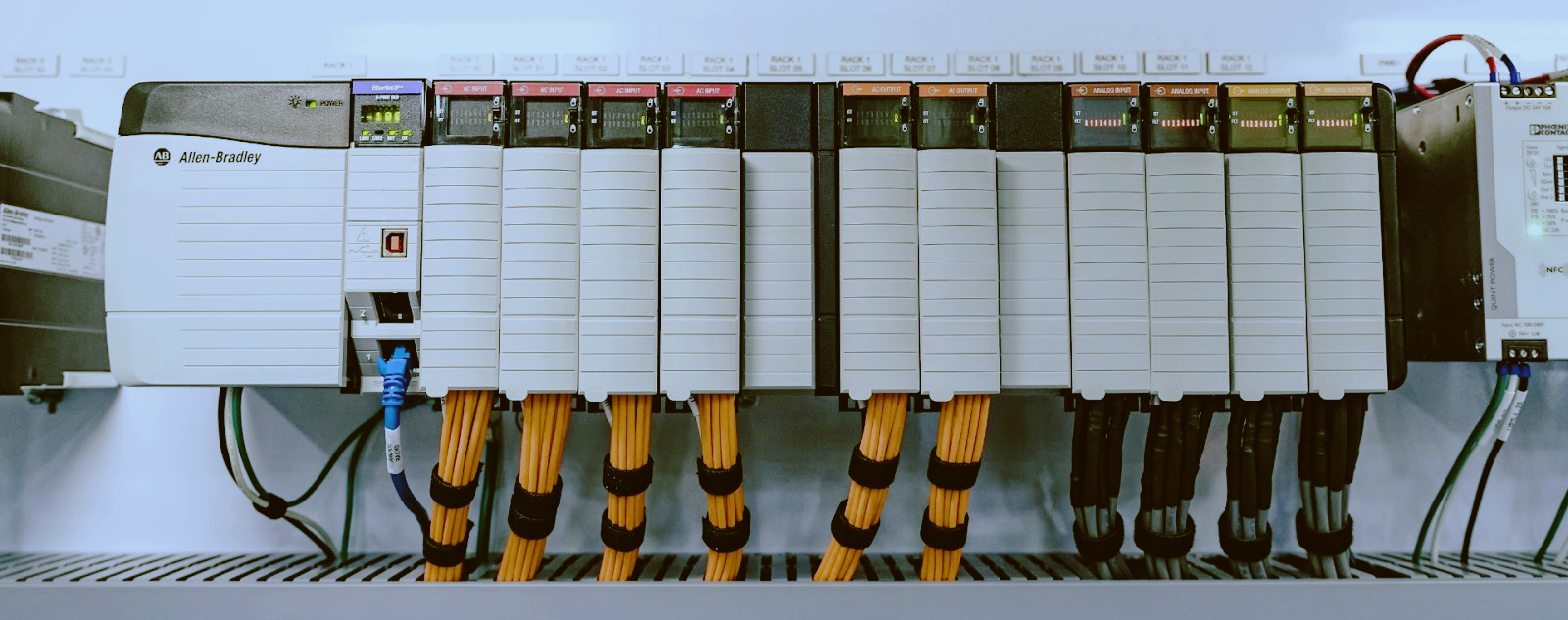
Mitsubishi FX2N in 2026: The 1991 Brick That Refuses to Die
Think about what else from 1991 is still clocking in every morning. A fax machine in a government office, maybe. A bearing press that nobody has the manual for. And, in tens of thousands of plants from the Gulf to the Great Lakes, the Mitsubishi FX2N: a dark gray plastic brick, roughly the size of a thick dictionary, with a round eight-pin programming port on the front, and no screen, no menu, no opinions.
Mitsubishi launched the FX2N in 1991 as its mid-range micro PLC. The engineer who commissioned yours has retired. His apprentice has retired. The person who troubleshoots it today was not born when the unit shipped, and that person is probably working on a laptop that is newer than the machine's entire electrical room. Yet the brick keeps scanning. Packaging lines in Dubai run on it. Water skids in Texas run on it. Injection molding auxiliaries in Egypt, conveyor systems in Poland, OEM equipment scattered across the Middle East, Asia, Africa and Eastern Europe all run on it.
Here is the situation nobody at headquarters wants to admit. Mitsubishi discontinued the FX2N long ago. It was replaced by the FX3U, and then by the FX5U and the iQ-F platform, and each generation made the old one harder to love: different software, different wiring, a different way of thinking. New old stock FX2N parts get scarcer every year and the surplus prices creep up. And still the machines run.
I am not sentimental about this hardware. It is old. It is slow. It has no Ethernet port, no web server, and it will never get either. But it is paid for, it is wired, it is proven, and it does not reboot itself on a Tuesday because of an update nobody approved. Half the time a plant calls me about a "dead" FX2N, the PLC is fine and the panic is not. The other half, the fix is a battery, a cable, or a spare module that should have been sitting on the shelf for years.
So here is the working knowledge, the way I would hand it to an engineer across a greasy bench. Six things you need to understand about the FX2N in 2026, then the spares shelf that keeps a plant full of them alive.

The FX2N refuses to die for a boring reason: there is almost nothing inside it that can die. It does one thing, which is scan. It reads the inputs, executes the ladder rung by rung, writes the outputs, and does it again. That loop is the entire product. There is no operating system to patch, no firmware update that can brick it, no boot sequence that can hang, no cloud service that can go end of life and take your machine down with it. An FX2N powers up and is running your process in the time it takes a modern screen to finish animating its logo.
The program itself lives in EEPROM. That detail matters more than almost anything else on this list, because it is the most misunderstood thing about the whole platform. The ladder is not held in RAM and it is not held in the battery. Cut the power, drop the battery, ship the PLC across an ocean in a box of rags: the program is still there when it arrives. Mitsubishi built the FX2N with 8,000 steps of program memory as standard, bigger jobs went onto an optional EEPROM cassette, and in every case the program storage was non-volatile by design. Power loss was never the enemy of the program. The fear that "the program vanished when the power dipped" is almost always really a story about something else: a dead battery wiping latched data, which section 2 covers, a bad upload overwriting good code, which section 3 covers, or a memory cassette that died of old age.
The rest of the design is honest industrial engineering. The device map is flat and easy to hold in your head: X for inputs, Y for outputs, M for internal relays, D for data registers, T for timers, C for counters, with the special relays like M8000 doing system chores. The instruction set is small enough that one person can carry it around in their skull for thirty years. The base units came in sizes from the FX2N-32MR up through the FX2N-64MR and the FX2N-80MR, with the FX2N-32MT and its transistor-output siblings for the high-cycle jobs. I/O expansion snaps onto the side of the base, and special function modules like the FX2N-4AD and the FX2N-4DA hang off the same bus and get talked to with FROM and TO instructions.
And the mechanical side shrugs off what kills newer gear. No fan to clog, no hard drive, no touchscreen to crack, no SD card to corrupt. A sealed brick with terminal screws. Put it in a cabinet hot enough to make a modern smart relay complain, and the FX2N just sits there scanning, the way it has since the first Bush administration.
That is why the brick outlives engineers: nothing about it is fragile except the parts this article is actually about. The battery, the software path, the comm boards, the output devices, the power supply capacitors. Those are the failure points, and they are all manageable if you treat them like the wear items they are.
Ask a room of maintenance engineers what the F2-40BL battery protects in an FX2N, and half of them will tell you it keeps the program alive. It does not. Repeat that to yourself the next time someone wants to panic-download a program at two in the morning because the battery light came on.
The program is in EEPROM, as section 1 just covered. What the F2-40BL actually backs up is the latched data area: the M relays and D registers that were marked as latched in the PLC parameters, the counters that hold production totals, and the real-time clock on the models that carry one. Lose the battery and you lose those values. The ladder comes back untouched and runs, and then your machine starts with zeroed totals and whatever default register values the program assumes, which can be its own kind of exciting if a recipe lived in latched D registers.
Mitsubishi flags a low battery through a special relay, M8006 on the FX2N family, and that flag latches once it trips, so it does not quietly un-trip itself after you ignore it for three weeks. When you see it, deal with it. The battery itself lasts years in a normal cabinet. Heat is what kills it early, so the plant with the FX2N bolted next to the oven door changes batteries more often than the plant with the climate-controlled panel. That is not a fault in the battery, that is physics.
The exchange procedure is where field lore saves data. Do it with the PLC powered on. With power applied, the CPU keeps the RAM alive from its own supply, so you can unclip the old F2-40BL, clip in the new one, and lose nothing. The board also carries a capacitor that gives you a grace period if you insist on swapping dead, but do not bank your production totals on a grace period. Power the unit up and swap it live. It takes ninety seconds and it is the whole trick.
One more piece of honesty. If a battery has been dead for a long time and the machine starts acting brain-damaged, the answer is not a new battery and a shrug. The latched values are gone. You need to re-teach setpoints and totals, and that is exactly why the smart plants keep a written record of what those values should be, or load them from parameters stored in the program, or both. A dead battery is a nuisance. A dead battery with no record of the latched values is a bad afternoon.
Now the part that makes young engineers cry: talking to the brick at all. The FX2N was programmed with GX Developer, or with the even older FXGP/WIN for the true veterans, and that is still the truth in 2026. The FX2N generation never got proper support in the newer software. GX Works2 was built for the FX3U and FX3UC generation and the FX3G family; the FX2N was left out of that party, or only half-welcomed depending on the regional build. GX Works3 belongs to the FX5U and the iQ-F world entirely. So the tool for an FX2N today is still GX Developer, a program whose last heyday was the Windows XP era.
Running GX Developer on Windows 10 or 11 is a battle. Sometimes it installs and behaves. Sometimes it installs and crashes the moment you open a project. Sometimes the installer itself throws a compatibility fit that no amount of right-clicking "run as administrator" fixes. The reliable path is a virtual machine with Windows XP or Windows 7 on it, with the USB passed through to the guest, and GX Developer living its best life in 2004. If you have an actual old laptop with a real serial port, you own a treasure. Label it, and keep it in a drawer that nobody borrows from.
Then comes the cable. The FX2N programming port speaks the FX serial protocol on an eight-pin round connector, and the official way in was the SC-09, a converter box that sat between that port and a PC serial port. The genuine SC-09 is long gone from the catalog, and what you actually buy in 2026 is a USB clone. The clone market is a driver lottery. Some clones carry CH340 chips, some carry Prolific chips, some claim FTDI, and some are counterfeit FTDI chips that modern Windows refuses to load drivers for at all. You can spend an afternoon installing three different driver sets and still end up staring at a "device cannot start" error.
Field rules for the cable fight. Buy the cable from someone who sells it as a PLC cable, not as a random USB doodad. Keep the COM port number low, because old GX Developer gets grumpy about high port numbers. Match the baud rate to what the PLC parameters expect. And never plug the cable into a powered FX2N unless you know the adapter is isolated. The genuine SC-09 had isolation on the PLC side. Many of the cheap clones do not, and one good ground loop from a laptop sitting on a flaky earth can fry the programming port on the PLC. That turns a twenty-dollar cable problem into a three-hundred-dollar CPU problem, and I have watched it happen twice. Power down the PLC, connect, power up. That habit alone saves a plant more money than any other tip in this article.
Archive the program properly while the software still runs. Upload from the PLC, save the project file in two places, export a text listing, and print a copy that lives inside the electrical cabinet if you have any sense. The day will come when the only copy of that program sits on a laptop that will not boot, and the machine will not care about your feelings.
The base unit is only half the machine. Around it hangs the ecosystem that made the FX2N a mid-range workhorse instead of a toy: analog modules, comm boards, extra I/O. This is where the shortage hurts most, because the base CPU was built like a tank but the ecosystem around it is disappearing faster than the bricks themselves.
The FX2N-485-BD was the workhorse comm board, giving the PLC an RS-485 port for talking to variable frequency drives, HMIs, and other PLCs, including the FX2N's simple N:N network between multiple units. The FX2N-232-BD added a real RS-232C port for barcode scanners, printers, and PC links. The FX2N-4AD brought in four analog inputs and the FX2N-4DA four analog outputs, and if your machine reads a pressure transmitter or drives a valve positioner, you know exactly which module I mean. On the I/O side, the FX2N-16EX and the FX2N-16EYR expanded the point count with input and relay output blocks, and the FX2N-16EYT was the transistor-output version for the high-cycle jobs. The FX2N-4AD-PT and the FX2N-4AD-TC handled Pt100 RTDs and thermocouples for the temperature crowd.
Module | Job | Where you usually find it
FX2N-4AD | Four analog inputs | Pressure, level, flow transmitters
FX2N-4DA | Four analog outputs | Valve positioners, drive speed references
FX2N-485-BD | RS-485 comm board | Drive links, HMI, multi-PLC N:N
FX2N-232-BD | RS-232C comm board | Scanners, printers, PC link
FX2N-16EX | Sixteen-point DC input block | I/O expansion
FX2N-16EYR | Sixteen-point relay output block | I/O expansion, switching loads
SC-09 | Programming cable and converter | Talking to the PLC at all
None of these are in Mitsubishi's active catalog anymore. What is left is new old stock, and it is disappearing. A plant that waits until a 485-BD dies to go shopping will pay whatever the last seller on the internet asks. A plant that buys spares while the parts are merely scarce gets to choose. When you see new old stock of the modules your plant actually runs, buy it then, not when the smoke lets out.
One thing that makes stocking easier: special function modules are addressed by position on the bus and driven with FROM and TO instructions, so a replacement module does not need to match the original serial batch. The program talks to position four the same way whether the module in position four was shipped in 1998 or 2004. Mind the station switches and the settings, and a swap takes minutes instead of a rewrite.
When you go hunting for this stuff, the Mitsubishi PLC parts category is a decent place to start. They stock FX2N CPUs, I/O blocks, comm boards and batteries, the legacy Mitsubishi aisle that the big distributors stopped bothering with years ago.
After decades of field calls, here is what actually kills FX2Ns, roughly in the order I have seen it.
Power supply capacitors come first. The FX2N's internal power supply is a switching supply designed in the 1990s, and after decades of heat the electrolytic capacitors age: the electrolyte dries, the ripple climbs, the rails sag. The classic symptom is a machine that resets when the big contactor pulls in, or outputs that drop for a blink, or comms that fall over for no reason anyone can explain. Many of the "the PLC is dying" calls I have taken were just a power supply full of tired capacitors. A handful of new capacitors and a soldering iron brings the brick back for another decade. If you cannot solder, that is what the spare CPU on the shelf is for.
Welded relay outputs come second. After millions of operations switching contactor coils and solenoid valves, the relay contacts inside an FX2N-32MR or an FX2N-16EYR eventually weld shut. The symptom is an output that will not drop out: the ladder says off, the load stays on. This is not a defect, it is a wear item, and a solenoid valve cycling ten times a minute burns through the mechanical life of a relay faster than most people believe. The fix is a module swap, and the lesson is that relay output life is rated in operations, not in years.
Blown transistor outputs come third, and they are usually a wiring crime. On the MT units, inductive loads without flyback diodes across the coil will eventually kill the output device, shorted or open, and a shorted output can take its common with it. Before you blame the PLC, check the suppressor across the contactor coil. The PLC was doing what it was told; the coil was biting back.
Fried programming ports come fourth, and section 3 already explained the cause: non-isolated USB-serial adapters plugged into a live PLC. The fix is a habit, not a part. Power down, connect, power up. Teach it to everyone who touches the machine.
Then come the boring failures that outnumber all of the above. Loose terminal screws after years of thermal cycling. Dust. A 24V DC sensor supply that sags until inputs start misbehaving. A blown fuse that everyone walks past for an hour. An extension cable between the base and an expansion block that got crushed when somebody worked in the cabinet. Power supply first, then the 24V rail, then wiring and fuses. Only then blame the CPU. And when the ERROR LED on the front is blinking at you, read the error code before you start throwing parts at the panel. The blinking pattern and the special data registers will tell you what the CPU thinks is wrong, and the CPU is usually right about that part.
At some point, in every plant that runs FX2Ns, the question arrives: do we migrate this thing or keep it running? Sit down and do the math before the marketing department does it for you.
Start with the cost of doing nothing. A used or new old stock FX2N CPU from a decent surplus house costs a fraction of what one afternoon of line downtime costs, and it drops into the same rail, the same wiring, and the same program. If the machine makes money and the process works, replacing the PLC is not an upgrade. It is a project with a risk profile, and every migration I have ever seen introduced at least one new failure mode that did not exist before. Old gear fails in ways you know. New gear fails in ways you get to learn.
If you do migrate, know what each path actually costs you.
The FX3U is the closest thing to a natural successor, and it is still not a drop-in. It is not pin-compatible with the FX2N. The terminal layout differs, the mounting differs, and every wire gets re-terminated and re-checked. The program side is friendlier: the FX family kept broad instruction compatibility, so much of the ladder carries over, but anything that touches the special function modules, the comm instructions, or the old device map needs a careful pass, and every FX2N expansion module on the rail has to be checked against the FX3U compatibility list. Call it a re-wire with a program conversion, not a swap.
Programming software | GX Developer or FXGP/WIN | GX Developer or GX Works2 | GX Works3
Wiring | Baseline | Re-terminate everything | Re-terminate everything
Old program reuse | Baseline | Partial, needs a conversion pass | Full retype in a new environment
Built-in ports | Serial programming port | USB and serial | Ethernet onboard
The FX5U and the iQ-F platform are a different country. GX Works3, structured projects, a new way of organizing programs, a full retype of the logic, and new wiring on top of it. What you get in return is Ethernet onboard, which is genuinely worth something if the plant wants data collection or modern HMI protocols that the FX2N simply cannot speak. The FX2N has no Ethernet and never will. If the process needs to talk to the business systems, that is a real reason to migrate, not a fashion statement.
So the honest triggers for migration: when the spares that matter are gone and failures start stacking up; when the machine needs comms the FX2N cannot do; when the person who actually understands the program is retiring and the documentation is thin, because migrating while that person still works is ten times cheaper than migrating after; and when the machine is being rebuilt anyway. Then migrate in daylight, with a plan, and keep the old unit intact until the new one has run a full production week without a fault. A running FX2N is a reference document you can touch.
And while you run the mixed fleet that most plants actually have, old bricks next to new gear in the same cabinet, it pays to standardize where you buy. The industrial automation side of a good supplier carries the modern stuff, and the Mitsubishi aisle carries the legacy stuff, and both end up on your panel eventually.
If your plant runs several FX2N units, build the shelf before the failures, not after. Here is what a plant that runs a family of FX2N machines should stock, and I would defend this list against any distributor's upsell.
Item | Stock | Why it earns its place
Spare FX2N CPU, the model of your most common base, FX2N-32MR, FX2N-64MR or FX2N-80MR as applicable | One per plant | A dead CPU becomes a thirty-minute swap instead of a three-day emergency
FX2N-485-BD comm board | One | The most wanted comm board on the surplus market, and the one that dries up first
SC-09 or a known-good USB clone cable | One spare | Cables die, get lost, and get borrowed, and the driver lottery waits for nobody
F2-40BL batteries | Two | Change them the day M8006 trips and you never lose a latched value again
FX2N-16EYR relay output block | One | Welded relays are a when, not an if, on high-cycle machines
FX2N-4AD, if you run analog | One | The module you will not find quickly when a transmitter loop starts reading nonsense
Program backups | Keep forever | Project files in two places plus a printed listing in the cabinet
Where does that stock come from in 2026? Mitsubishi's catalog is closed to the FX2N, so the honest answer is the surplus channel: new old stock dealers, brokers, machine rebuilders, and the specialists who made legacy Mitsubishi their whole aisle. When you find a PLC spare parts supplier who actually has FX2N stock, verify what they ship, then buy the shelf list, because the market only moves in one direction.
The FX2N is not going to outlive you. Nothing does. But it will absolutely outlive your excuses for not owning a spare CPU, a fresh battery, and a cable that works. The machine out on the floor does not care that the platform is retired. It cares about the scan. Keep the shelf stocked, keep the program backed up, keep the battery fresh, and that 1991 brick will keep paying its way while the accountants argue about what to replace it with. That is not nostalgia. That is just good maintenance.
URL Slug: mitsubishi-fx2n-still-running-guide
--------------------------------------------------------------------------------------------
🏢 About TZ Tech
TZ Tech is a leading supplier of industrial automation, electrical, instrumentation, and telecommunications components. We specialize in sourcing ready-to-ship distributor stock, allowing us to offer highly competitive pricing and short lead times. Thanks to our extensive inventory, we can even source rare and discontinued parts that are hard to find elsewhere.
🛡️ Our Quality Commitment
We understand that quality is your top priority. Every component undergoes a strict screening and inspection process so you can buy with absolute confidence. For legacy or discontinued parts, we believe in complete transparency and will always provide an honest, accurate report on the product's condition. Plus, all brand-new parts come backed by a full 1-year warranty.
Have a project or a part you need? Send us your inquiry today! Our team is dedicated to providing a fast response within 6 hours (excluding weekends).


Please read on, stay posted, subscribe, and we welcome you to tell us what you think.


Sitemap | Blog | XML | Privacy Policy
In addition, with your permission, we want to place cookies to make your visit anointeraction with slOC more personal. For this we use analytical and advertisingcookies. With these cookies we and third parties can track and collect yourinternet behawior inside and outside super-instrument.com. With this we and third parties adapt super-instrument.com and advertisementsto your interest. By clicking Accept you agree to this. If you decline, we only usethe necessary cookies and you unfortunately will not receive any personalizedcontent. Please visit our Cookie policy for more information or to change yourconsent in the future.
Accept and continue Decline cookies