
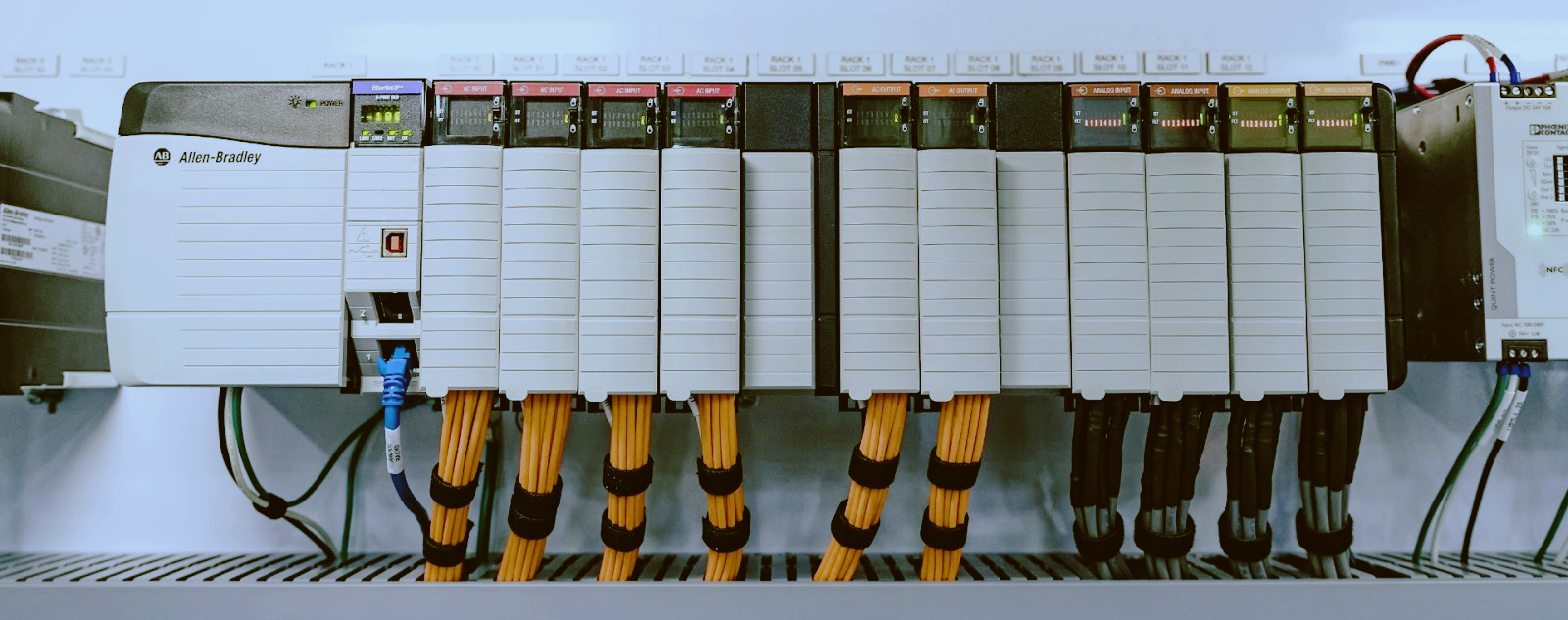
ABB AC500 PLC Troubleshooting: Answers to the Most Common Field Problems
The ABB AC500 platform, PM5xx, PM58x, and PM59x series, is used across water treatment plants, building automation systems, and process lines in Europe and the Middle East. Engineers on the ground run into the same predictable faults.

A dead CPU on power up comes down to four things.
Power supply first. The TA521 series supply modules need a clean 24 VDC input. Check the green LED on the front of the supply module. If it is off, you have no DC input, the input voltage is below 19.2 V, or the supply module itself has failed. Measure right at the terminals with a multimeter. Do not trust the panel indicator light.
Bootloader corruption. Less common. It happens on PM582 CPUs after a failed firmware update or power loss during the update. The CPU power LED turns on but nothing else happens. Reload firmware via the SD card slot using Automation Builder. If that fails, the CPU needs a bootloader reflash from ABB.
Memory card issues. On the PM591 and PM592, use a FAT32 formatted SD card with a valid firmware image. A card from another PLC or a corrupted card will prevent boot entirely. Remove the card and try booting without it. If the CPU starts, the card is the problem.
RUN/STOP switch position. Sounds obvious, but we have walked engineers through this one more than once. If the switch is in STOP mode, the CPU powers on but does not execute the program. Move it to RUN and toggle the power cycle.
---
The PM582 status LED tells you exactly what is wrong if you know the flash code:
LED Pattern | Meaning | Action
Solid green | Running normally | Nothing
Flashing green (slow) | STOP mode | Check RUN/STOP switch or program state
Flashing red, 2 flashes then pause | Hardware fault | CPU needs replacement
Flashing red, 3 flashes then pause | Bus error | Check the TA523 backplane module and I/O bus connections
Flashing red, 4 flashes then pause | Program fault, watchdog timeout | Review cycle time and program logic
Solid red | Fatal fault | CPU is likely dead, replace it
Three flashes (bus error) is the one that tricks people. Everyone assumes the CPU is bad, but it is almost always the backplane or a loose I/O module. Reseat the TA523 backplane module and all connected I/O modules, then power cycle. If the three-flash pattern persists, replace the TA523 first. It is cheaper than a CPU.
Four flashes (program fault) means the watchdog tripped. Go into Automation Builder and check the task configuration. Your cycle time exceeds the configured watchdog limit. Increase the watchdog time or optimize your code. Look for infinite loops in ST, forgotten jump labels in LADDER, or SFC steps that never complete.
---
Ethernet connection issues are the second most common headache.
Wrong IP address. The default IP on the PM5xx series is 192.168.0.10. If someone changed it or your laptop is on a different subnet, you will not connect. Hold the CPU in STOP, connect directly with a crossover cable (most modern NICs auto-MDIX, but not all), and scan the network with Automation Builder's network discovery tool.
Subnet mismatch. Your laptop might be on 192.168.1.x while the PLC is on 192.168.0.x. Set your laptop to a static IP in the same range: 192.168.0.100 with subnet 255.255.255.0.
Firewall blocking ports. Automation Builder uses TCP ports 6681 and 6682 for communication. Windows Defender Firewall or corporate security software often blocks these. Add an inbound rule to allow them. Also check that the PLC is not behind a managed switch with port security enabled.
Physical layer damage. Industrial environments eat RJ45 connectors. Vibration, moisture, oil mist -- all of it degrades Ethernet cables. Try a known good cable. If the link LED on the CPU Ethernet port does not light up when you plug in, swap the cable. If it still does not light, the port may be fried. Use the second Ethernet port if your CPU has one, or add a CM574 Ethernet module.
---
Drifting or wildly fluctuating analog values on a TA521-AI4 or TA522-AI8 module are wiring or configuration issues, not a bad module.
4-20 mA loop problems. The most common cause is a broken wire in the loop. Check continuity from the transmitter to the AI module. Next, verify loop power. If the transmitter is loop powered, the 24 V supply must be present and stable. A dropout of even 50 ms causes a spike in the reading. Use a precision resistor (250 ohm) across the input terminals and measure voltage. 1-5 VDC across the resistor equals a healthy 4-20 mA loop.
Ground loops. When the transmitter and the PLC are on different power supplies or grounding points, ground loops inject noise into the signal. Use isolated AI modules or install a signal isolator between the transmitter and the PLC input.
Wrong scaling in Automation Builder. Every analog module needs the correct scaling parameters. If you configured a 4-20 mA input as 0-10 V or set the wrong engineering units range (for example, 0-100 PSI instead of 0-250 PSI), the readings will look wrong but the module is fine. Check the module configuration in Automation Builder under the I/O mapping tab.
Filter settings. The AC500 AI modules have configurable digital filters. If the filter time constant is set too low, you will see electrical noise. Too high, and you will miss real process changes. Start with 50 ms and adjust from there.
Common mode voltage. On the TA521-AI4, the maximum common mode voltage is 30 VDC between any input and AGND. If your transmitter is referenced to a different ground, you can exceed this and get erratic readings. Tie all analog commons together at one point.
---
The program loads fine, then the CPU drops to STOP.
Missing hardware configuration. Your program references I/O modules that are not physically present, or the backplane configuration in Automation Builder does not match what is on the rail. Open the hardware configuration and run a compare against the actual hardware. If you swapped a TA521 for a TA522 or moved modules to different slots, the configuration is invalid.
Task overflow / watchdog timeout. The program compiles and loads, but the cycle time exceeds the task watchdog when it executes. This happens when you add a heavy function block, like a PID loop with a fast cycle time, that did not exist in the previous program. Check the task configuration and increase the watchdog time, or optimize the offending code block.
Division by zero or unhandled exception. ST and LADDER code will crash the CPU if you hit a division by zero, an invalid pointer, or an array index out of bounds. There is no automatic exception handler. The CPU goes to STOP. Add bounds checking before math operations. In ST, check the divisor is not zero before dividing. In LADDER, use compare blocks before math functions.
Forcing outputs in STOP. If you had digital outputs forced online and you upload a new program, the forcing state can conflict with the new logic. Clear all forces before uploading. In Automation Builder, go to the force view and remove all forces, then download the program.
---
The AC500 platform has been through several lifecycle phases. Some modules are still active; others are discontinued.
ABB direct is the first call for current models (PM591, PM592, CM574) but lead times can run 8-16 weeks for older models. The PM571, PM582, CM571, and several TA521 series variants are discontinued or end of life.
Automation parts distributors like Rexel, Sonepar, and specialized industrial automation houses still carry NOS (new old stock) inventory. Prices vary widely. Check multiple sources.
Specialty suppliers like tztechio.com carry tested used and new surplus AC500 modules, especially the harder to find models like PM582 and CM571.
Discontinued modules you will struggle to find new:
· PM571
· PM582
· CM571
· TA521 series (several variants, but the TA521-ETH and TA521-AI4 are still more available than others)
· Older backplane modules
If you are designing a new system or replacing a failed CPU, spec a PM591 or PM592 instead of a PM582. They are current production and have better availability.
---
Yes. The AC500 communicates with older ABB drives over serial Modbus RTU.
Modbus RTU via CM572. The CM572 serial communication module gives you RS-232 and RS-485 ports. Configure it as Modbus master in Automation Builder. Wire the RS-485 terminals (A+/B-) to the drive's Modbus port. Pay attention to termination resistors. Enable them only at the two physical ends of the bus.
ACS350 and ACS355 drives support Modbus RTU out of the box. The drive parameter group 53 (Modbus configuration) sets the station ID, baud rate, and parity. Match these to the CM572 configuration. Common settings: 19200 baud, 8 data bits, even parity, 1 stop bit.
DriveAP library. ABB provides the DriveAP function block library for Automation Builder. It handles Modbus communication to ABB drives without writing raw Modbus function codes. Drop in a DriveAP block, configure the drive ID, and read/write parameters by index.
ACS580 and ACS880 drives also work over Modbus RTU, but they also support Ethernet-based fieldbuses if you have a CM574 or the CPU's built in Ethernet port. For new installations, use Modbus TCP instead of RTU. It is faster, easier to troubleshoot, and has fewer wiring issues.
---
Most AC500 faults fall into a handful of categories: power issues, configuration mismatches, wiring problems, and module lifecycle. Keep a spare TA523 backplane on the shelf. It is the most common failure point after the power supply. When in doubt, let the CPU's LED flash code tell you where to look first.
For more on ABB automation products, check out our guides on ABB PLC platforms, PLC fundamentals, variable frequency drives, and industrial automation systems.
-------------------------------------------------------------------------------------------------------------------
🏢 About TZ Tech
TZ Tech is a leading supplier of industrial automation, electrical, instrumentation, and telecommunications components. We specialize in sourcing ready-to-ship distributor stock, allowing us to offer highly competitive pricing and short lead times. Thanks to our extensive inventory, we can even source rare and discontinued parts that are hard to find elsewhere.
🛡️ Our Quality Commitment
We understand that quality is your top priority. Every component undergoes a strict screening and inspection process so you can buy with absolute confidence. For legacy or discontinued parts, we believe in complete transparency and will always provide an honest, accurate report on the product's condition. Plus, all brand-new parts come backed by a full 1-year warranty.
✉️ Get in Touch
Have a project or a part you need? Send us your inquiry today! Our team is dedicated to providing a fast response within 6 hours (excluding weekends).


Please read on, stay posted, subscribe, and we welcome you to tell us what you think.


Sitemap | Blog | XML | Privacy Policy
In addition, with your permission, we want to place cookies to make your visit anointeraction with slOC more personal. For this we use analytical and advertisingcookies. With these cookies we and third parties can track and collect yourinternet behawior inside and outside super-instrument.com. With this we and third parties adapt super-instrument.com and advertisementsto your interest. By clicking Accept you agree to this. If you decline, we only usethe necessary cookies and you unfortunately will not receive any personalizedcontent. Please visit our Cookie policy for more information or to change yourconsent in the future.
Accept and continue Decline cookies