Allen-Bradley ControlLogix 1756-L6x: When to Repair, When to Replace
Aug 26, 2026
A ControlLogix 1756-L6x processor faults out mid-shift. The line stops. Someone pulls the CPU, stares at it for ten minutes, and makes a call that costs the plant hundreds or thousands of dollars. Most of those calls are wrong, because most L6x "failures" are not the CPU at all.
When the CPU shows problems, do this, in this order. Nothing else until you finish all three checks.
First, read the LEDs. The front-panel status LED tells you more than any diagnostic tool you own. Every state maps to a fault class: flashing green, solid green, flashing red, solid red, off. Write down exactly what you see before you touch anything.
Then check the battery. The 1756-BA2 lithium cell keeps the SRAM program alive when main power is off. A weak battery throws a low-battery alarm in the controller properties and on the front panel. If the cell dies while the chassis is powered down, the program is gone. A huge share of "dead CPU" calls are flat batteries.
Then check the CompactFlash card. A corrupted, loose, or dying 1784-CF64 card makes an L6x act exactly like a dead CPU. It faults on power-up, refuses to load firmware, or loops in a boot cycle. Plants condemn good processors over a failed memory card every week.
Only after those three checks do you talk repair versus replace. This guide runs the full decision in order: diagnose, inventory, repair, replace, compare, decide.
The decision framework up front
Run every 1756-L6x fault through this filter before you spend money.
Repair the CPU when:
· The fault is a battery alarm, a corrupted CompactFlash card, or a firmware mismatch.
· The processor powers up, sees the backplane, and holds its program across power cycles.
· The CPU is under ten years old with no history of repeated faults.
· You hold a verified program backup and a known-good spare CPU on the shelf.
Replace the CPU when:
· The CPU faults repeatedly across different chassis, power supplies, and racks.
· You see physical damage: burnt components, bulged capacitors, bent pins, or residue from water or chemicals.
· A failed backplane or chassis power supply took the CPU out, and the unit is past the ten-year mark.
· The line is critical, the program backup is unverified, and spares for your exact catalog number are getting scarce.
One rule overrides everything: a critical line does not wait for a repair cycle. If this CPU runs a process where downtime costs thousands per hour, you replace or exchange, and you do it fast. Repair belongs to spares, non-critical cells, and budget-constrained shops. That is the whole logic in one paragraph.
The 1756-L6x model line at a glance
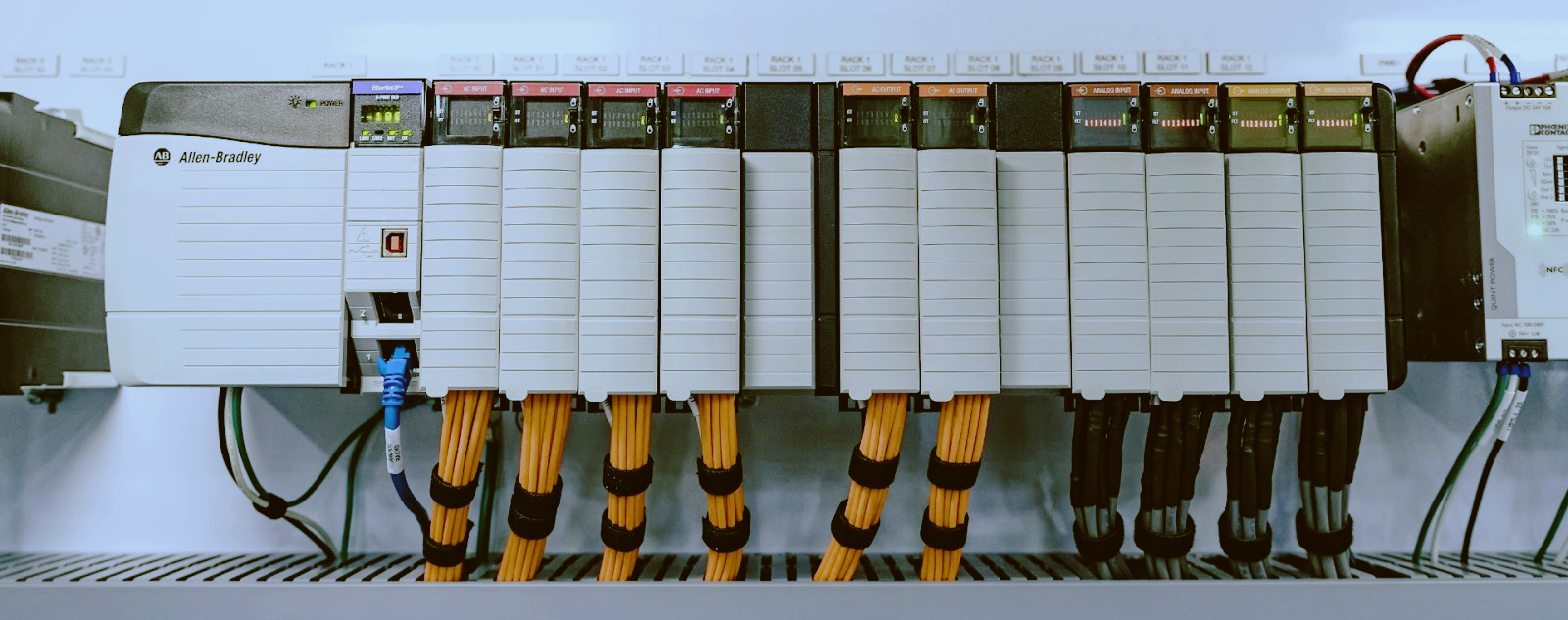
Know exactly which CPU you are holding before you decide anything. The catalog number is printed on the front and on the side label. Read it, record it, and match it against this line.
Model | Memory | Notes
1756-L61 | 1.2 MB | Entry model, small applications
1756-L62 | 2 MB | Mid-range, common on older lines
1756-L63 | 4 MB | The workhorse, most common in the field
1756-L64 | 8 MB | High-memory version
1756-L65 | 8 MB | Top of the L6x line, faster processor
1756-L6SP | 4 MB | Safety partner for L6xS safety controllers
All L6x models run firmware up to version 20 and program in RSLogix 5000. That firmware ceiling drives a lot of the replacement decisions later in this guide. Write the firmware revision down next to the catalog number; you will need both.
Step 1: Diagnose the fault before you touch the parts shelf
1.1 Read the LED states
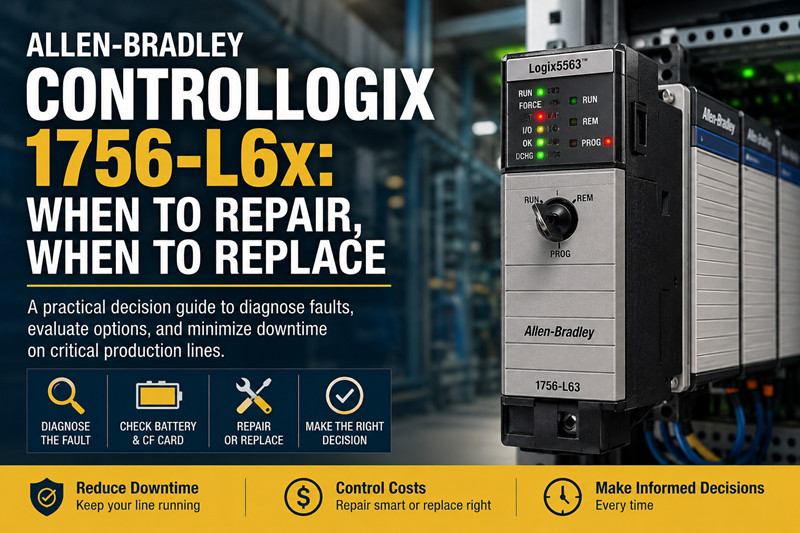
The front panel of every 1756-L6x carries a status LED and a module OK LED, plus the BAT LED that reports battery health. Read them with the chassis powered and the key switch in REM or RUN.
LED state | What it means | Next move
Solid green | CPU is running normally | Not your problem today
Flashing green | Program mode, or faulted but recoverable | Go online, read the fault log
Flashing red | Recoverable fault | Clear the fault, watch for repeats
Solid red | Non-recoverable fault or hardware failure | Power cycle once, then run the battery and CF checks
Off | No power, dead module, or failed backplane connection | Check the power supply and module seating first
Record the state before you power-cycle. Power cycling erases the evidence. If the LED returns to the same state after a clean power cycle with a good battery and a reseated CF card, you have a genuine hardware problem. If it changes, you were chasing a transient.
1.2 Check the battery first
Do not skip this step. The 1756-BA2 is a standard lithium cell with a typical service life of two to five years, and it is the single most common cause of "the CPU lost its program" calls in the field.
Check it like this:
1. Go online with the controller in RSLogix 5000 or Studio 5000 and open Controller Properties. Read the battery field. A low cell shows there and on the front-panel BAT LED.
2. If the battery is low or dead, replace it with a fresh 1756-BA2 while the chassis is powered. Hot-swapping with power on keeps the SRAM backed up the whole time.
3. After the swap, verify the program is intact and the BAT LED clears. If the program is already gone, move to the CompactFlash step immediately.
Watch out, this is where people lose programs: they pull the battery out of a powered-down chassis "to be safe," and the SRAM drains in minutes. If the machine is down and the cell is flat, the program in SRAM is already at risk. Get the CompactFlash card out and read it before you do anything else.
1.3 Reseat and test the CompactFlash card
The CompactFlash card in the L6x holds the firmware and the program image. It is the cheapest component in the whole system and the most ignored.
Do this:
4. Power the chassis down, or if the CPU is hung, remove the card with power off.
5. Pull the card, inspect the contacts, clean them with a dry cloth, and reseat the card firmly.
6. Power back up and watch the boot sequence. A CPU that boots clean after a reseat had a card contact problem, not a hardware failure.
7. If the CPU still faults, test it with a known-good CF card loaded with the same firmware revision. If the spare card revives the CPU, the card was the failure. Replace it.
Pitfall: never rewrite a CF card on a PC with random formatting tools and then blame the CPU. Flash firmware with ControlFlash and nothing else. A card written with the wrong image makes a healthy CPU look dead.
Always keep a backup CF card for each CPU. Label it with the CPU serial number, the firmware revision, and the program revision. At 2 a.m., a labeled spare card is worth more than the whole parts budget.
1.4 Check power and backplane
An L6x that will not power up is often not the CPU's fault. Work outward from the module:
8. Verify the chassis power supply, a 1756-PA75, 1756-PB75, or 1756-PA72, is producing the right voltage. Measure at the chassis. Do not trust the supply LED alone.
9. Inspect the backplane connector pins on the CPU. Bent pins are a classic failure when someone slams a module into a slot. Check every pin with a light.
10. Move the CPU to a different slot, or better, to a different chassis with a known-good power supply. If it runs there, the problem was the slot, the backplane, or the supply.
11. Inspect the chassis backplane for scorch marks, cracked traces, or bent pins in the slot connector.
This is where people waste a day: they replace the CPU, the new one fails the same way, and only then do they discover the backplane is dead. Test in a known-good chassis before you order anything.
Step 2: Check what you own before you decide
Before you pick repair or replacement, take stock. This takes twenty minutes and it decides everything.
Program backups. Find the latest .ACD file for this CPU and open it in RSLogix 5000. Confirm it matches the running program revision. No backup? Then the CF card in the CPU is your only copy. Do not ship the CPU anywhere and do not power-cycle the chassis until you have extracted or verified that program. This is the moment most plants discover their "backups" are three years old.
Spare CPUs. What is on your shelf? A known-good L6x of the same or higher model? An L7x? Nothing? Your answer sets the urgency. No spare on a critical line means the decision is already made: you need hardware in hand within days, which points to exchange or replacement, not a weeks-long repair.
Firmware and software versions. Which RSLogix 5000 version does your team run? L6x CPUs top out at firmware version 20. If your engineering PCs moved to Studio 5000 v21 or newer, your L6x project still opens there, but with conversion, and an L6x running old firmware may not connect cleanly to newer software. Firmware mismatches get misdiagnosed as hardware failure all the time. Check the revision in the fault record before you blame silicon.
Lifecycle status. Do you know the Rockwell lifecycle status for your exact catalog number? Several 1756-L6x CPUs sit in Life Cycle or End of Life status per Rockwell's product lifecycle page. Check rockwellautomation.com for your catalog number and region. When Rockwell stops servicing a model, the repair-versus-replace math changes overnight.
Step 3: Repair paths for the 1756-L6x
If the diagnosis points to a genuine CPU fault and the framework says repair, here are the roads, in the order most plants actually use them.
3.1 Rockwell repair and exchange
Rockwell Automation runs an official repair and exchange program for out-of-warranty ControlLogix hardware. You send the unit in, they diagnose it, and you get your board back repaired or a refurbished exchange unit. The advantages are real: genuine parts, original firmware, a warranty on the returned unit, and traceability that auditors like.
The trade-offs are the ones everyone knows: turnaround measured in weeks in many regions, and cost that can approach a third or more of a new processor's list price. For a CPU already ten years old, that math often fails. Get a written quote with the fault description before you ship, and confirm the current turnaround time.
3.2 Third-party repair houses
Independent repair shops handle 1756-L6x boards at a fraction of Rockwell's price, often with faster turnaround. The good ones publish their process: free diagnosis, a fixed quote, component-level repair, and a warranty.
Do your homework before you ship a board to an unknown shop. Ask for their test procedure, and they should test on a real ControlLogix chassis with a known-good backplane. Ask about warranty terms and references from plants running the same hardware. A board that comes back "repaired" but faults on install costs you double in freight and labor. Record the serial number so you can verify you got your own board back.
3.3 Module exchange and surplus
Between new, repaired, and dead sits the exchange market. Surplus and aftermarket dealers stock working 1756-L6x modules pulled from decommissioned lines, tested and warranted. For a plant with a fleet of L6x machines, buying a tested surplus CPU as a spare is often the fastest, cheapest hedge available. Allen-Bradley spare parts listings carry these modules with varying warranties.
Pitfall: an exchange CPU with a different firmware revision than your program will not load your program without a firmware flash. Confirm the firmware revision before purchase, or budget for a ControlFlash step on install.
Step 4: Replacement paths for the 1756-L6x
When the decision lands on replacement, you have four honest options. Rank them by what your plant actually runs.
4.1 Same-family replacement: 1756-L7x
The 1756-L7x family, L71 through L75 plus the L7SP safety partner, is the direct successor to the L6x. Same chassis, same backplane, same I/O, same power supplies. You pull the L6x, you push in the L7x, and the migration becomes mostly a firmware and software question.
What you gain: more memory, faster scan, and support for Studio 5000 v21 and newer. Your RSLogix 5000 L6x project opens in Studio 5000 with conversion. Budget time for the conversion review, especially around motion, message instructions, and custom add-on instructions.
The L7x keeps your existing chassis, racks, and I/O, so the hardware cost stays contained. That is why most L6x plants migrate to L7x first. The counterweight: the L7x is also aging, so check its lifecycle status before you bet a critical line on it.
4.2 Current-generation replacement: 1756-L8x
The 1756-L8x family, L81 through L85 plus the L8SP, is Rockwell's current ControlLogix generation. More memory, faster processors, cybersecurity features, and the longest remaining support horizon. For a critical line you plan to run another ten years, the L8x is the honest answer.
The cost is higher, and the migration touches more than the CPU: Studio 5000 project conversion, possible firmware updates across the rack, and review of legacy communications. Plan the conversion as a project, not a swap. Plants already on Studio 5000 find the L8x conversion straightforward. Plants still on RSLogix 5000 v20 or older face a bigger jump, so budget engineering time.
4.3 Downsize: CompactLogix 5380 and 5069
If the machine does not need ControlLogix capacity, do not buy ControlLogix. The CompactLogix 5380 family, the 5069-L306ER and its siblings, plus the older CompactLogix 1769-Lx line, handles a huge share of standalone machines, skids, and small cells. The 5069 line runs Studio 5000, uses the same tag-based programming, and costs far less than an L8x.
Do the capacity check honestly: how many I/O points, how much motion, how much data logging, what comms does the line actually need? If the answers fit a 5380, the replacement pays for itself in the first year of spares and energy. The catch: you are rewiring or re-commissioning the rack, which means real downtime and real engineering. That is fine for a small machine. For a 500-I/O line, stay in ControlLogix.
4.4 Small applications: Micro800
For tiny, single-purpose machines, the Micro800 family is the budget end of the answer. It is not a ControlLogix replacement in any functional sense. It is a different platform for different jobs: small standalone machines, simple sequences, applications where one controller and a handful of I/O cover everything. If you are rebuilding a small machine anyway and the old L6x was oversized for it, Micro800 is worth a look. If the machine is part of a coordinated line, skip it and stay in the Logix family.
4.5 The spare-parts strategy
Most plants get the spares part wrong. They wait until a CPU dies, then chase hardware at premium prices. The correct move, on a fleet with aging L6x CPUs, is to buy the spare while spares still exist. One tested surplus L6x on the shelf, with a labeled CF card and a fresh battery, converts a week-long emergency into a two-hour swap. Stock it now. PLC spare parts sourcing gets harder every quarter as these models age out of active support.
Step 5: Cost and effort comparison
The table below is the honest comparison. Prices vary by region, vendor, and warranty, so treat the effort and risk columns as the real decision drivers.
Path | Hardware cost | Downtime | Engineering effort | Risk | Best for
Third-party repair | Low | Weeks of waiting | Low | Medium: returned board may fault again | Spares, non-critical cells
Rockwell exchange | Medium | Weeks | Low | Low: genuine parts and warranty | Audited or regulated plants
Surplus L6x swap | Low to medium | Days | Low | Medium: verify firmware and history | Fleets that must stay on L6x
Upgrade to L7x | Medium | Days, planned | Medium: project conversion | Low | Plants with existing racks on RSLogix 5000
Upgrade to L8x | High | Days, planned | High: full project conversion | Low | Critical lines with a ten-year horizon
CompactLogix 5380 | Low to medium | High: re-commissioning | High | Medium: new architecture | Standalone machines, small cells
Read the cost column with care. A "cheap" repair that fails on install costs you double in freight and labor. An "expensive" L8x that runs for fifteen years is cheap. Count the total cost of the decision: hardware, freight, engineering hours, downtime, and the probability of doing the job twice.
The effort numbers assume verified program backups. Without backups, every path gets more expensive and more dangerous, and the only sane move is to recover the program from the CF card or the battery-backed SRAM before you touch anything.
The decision checklist
Run this list in order, every time.
12. Read and record the LED state. Power cycle once.
13. Check the battery. Replace the 1756-BA2 with power on if low. Verify the program.
14. Reseat and test the CompactFlash card. Try a known-good card.
15. Test the CPU in a known-good chassis with a known-good power supply.
16. Confirm the firmware revision matches your software and your program.
17. Locate and verify the latest program backup. No backup? Stop here and recover the program first.
18. Check Rockwell's lifecycle page for your exact catalog number.
19. Count your spares and your line's criticality.
20. Repair if the fault is minor, the CPU is healthy, and time allows.
21. Replace or exchange if the fault is major, the unit is old, or the line is critical.
22. Buy the spare now, while it exists, and label it with firmware and program revisions.
Print this. Tape it to the panel. It will save the next shift a bad decision.
FAQ
How long does a 1756-BA2 battery last in a ControlLogix L6x?
Typically two to five years, depending on powered-down time and ambient temperature. Replace it on a schedule, not on a failure. Keep a spare cell in the panel.
Can I replace the battery without losing the program?
Yes, if you replace it with the chassis powered. If the chassis is down and the battery is flat, the SRAM program is already at risk, so move the program to the CompactFlash card or a PC before the cell dies.
My 1756-L63 shows a solid red OK LED. Is the CPU dead?
Not yet. Run the full diagnosis first: power cycle, battery check, CF reseat, and a test run in a known-good chassis. A solid red LED that persists across all of those points to hardware failure. Only then do you decide repair versus replace.
Will a 1756-L7x run my existing L6x program?
Your L6x project opens in Studio 5000 with conversion, and the converted project runs on the L7x in the same chassis. Budget time to review the conversion, especially for motion, messaging, and add-on instructions.
What firmware does the 1756-L6x support?
The L6x family tops out at firmware version 20. Newer Studio 5000 releases still open L6x projects, but an L6x running old firmware may refuse to talk to newer software. Check the revision match before you call it a hardware fault.
Is the 1756-L6x still supported by Rockwell?
Several L6x catalog numbers are in Life Cycle or End of Life status. Check the Rockwell product lifecycle page for your exact catalog number and your region. Support status drives both repair pricing and spare availability, so verify it before you commit.
Where can I find 1756-L6x spares?
Surplus and aftermarket channels carry tested L6x modules. Check Allen-Bradley spare parts and PLC spare parts listings, and confirm the firmware revision and warranty on any unit before purchase.
My CPU lost its program after a power outage. Battery or CF?
Check the battery first. If the cell is flat and the program was SRAM-only, the program is gone unless it lives on the CompactFlash card. This is exactly why every L6x should carry a labeled backup CF card.
Is repair always cheaper than replacement?
No. A cheap repair that fails on install costs more than a planned upgrade. Compare hardware, freight, engineering hours, and downtime, and count the probability of doing the job twice. For old CPUs on critical lines, replacement usually wins.
URL Slug: controllogix-1756-l6x-repair-or-replace
--------------------------------------------------------------------------------------------
🏢 About TZ Tech
TZ Tech is a leading supplier of industrial automation, electrical, instrumentation, and telecommunications components. We specialize in sourcing ready-to-ship distributor stock, allowing us to offer highly competitive pricing and short lead times. Thanks to our extensive inventory, we can even source rare and discontinued parts that are hard to find elsewhere.
🛡️ Our Quality Commitment
We understand that quality is your top priority. Every component undergoes a strict screening and inspection process so you can buy with absolute confidence. For legacy or discontinued parts, we believe in complete transparency and will always provide an honest, accurate report on the product's condition. Plus, all brand-new parts come backed by a full 1-year warranty.
✉️ Get in Touch
Have a project or a part you need? Send us your inquiry today! Our team is dedicated to providing a fast response within 6 hours (excluding weekends).